
Build a workflow
A workflow is the stages list of .natamux.json. Commit the file, and everyone on the team runs the same process: the same steps, the same checks, the same agents. Each task goes through the list, and agents and people work on it as the stages say.
This page shows how the parts fit together with two full examples. For every field, see the configuration reference.
Building blocks
Section titled “Building blocks”| Block | What it does | Reference |
|---|---|---|
| Stage | One step of the work. | Stages |
| Gate | auto goes on by itself. manual waits for a person. |
Gates |
| Check | Output file, sections, commit, clean worktree or a command. | Checks |
| Group | 2 to 4 stages that run side by side. | Stages that run side by side |
| Branch | Paths with a condition. The task takes the first path that holds. | Paths with a condition |
| Send back | An agent, CI or a person starts an earlier stage again. | Send a stage back |
| Own shell | A report stage runs in its own shell with a new session. | Stages in their own shell |
| End shell | A done stage closes its shell to free memory. | End a stage’s shell |
| Check on CI | A stage waits for the CI runs of its work. | Check a stage on CI |
| Run as a workflow | Claude Code uses sub-agents on one stage. | Run a stage as a workflow |
Edit a workflow on a screen
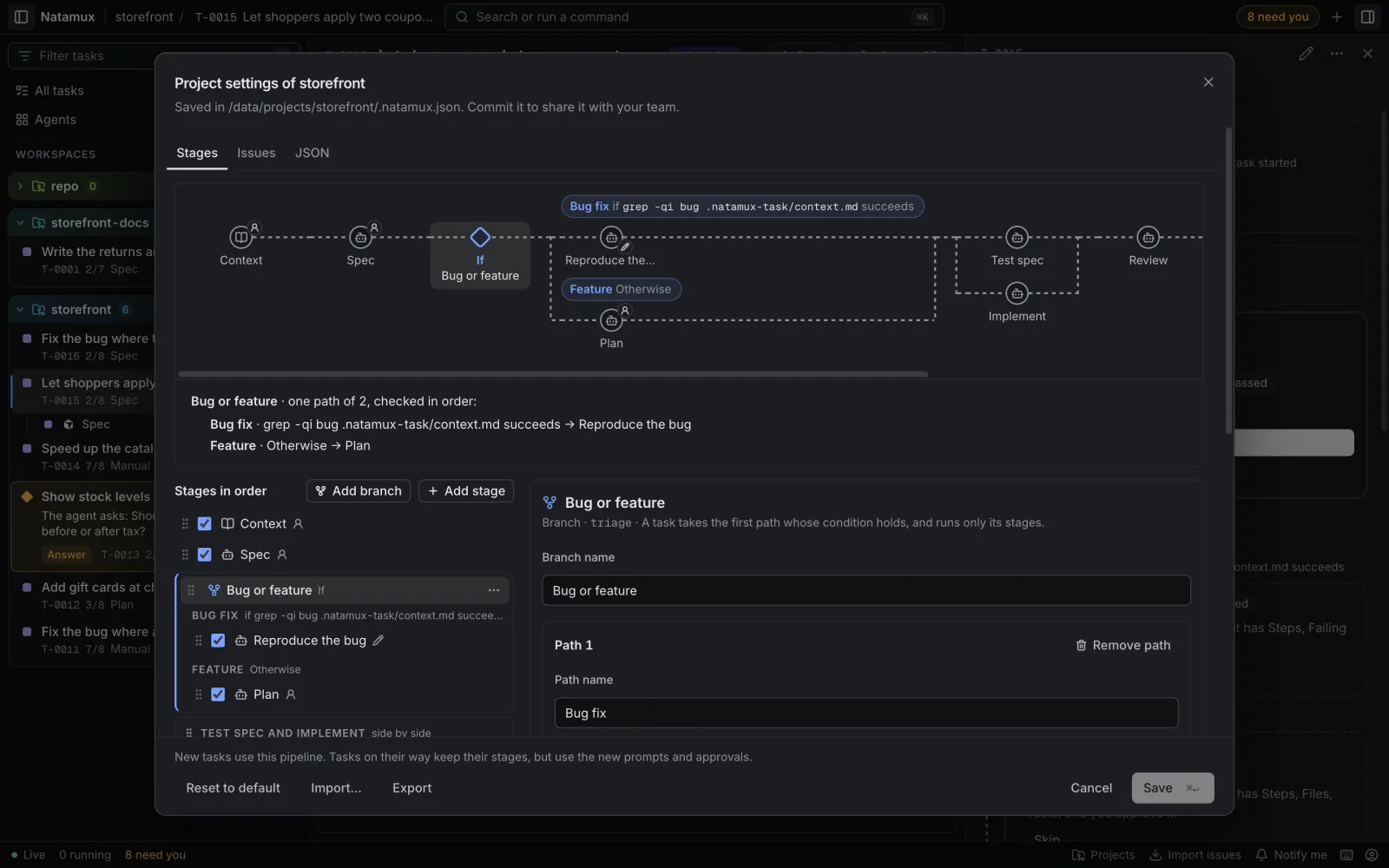
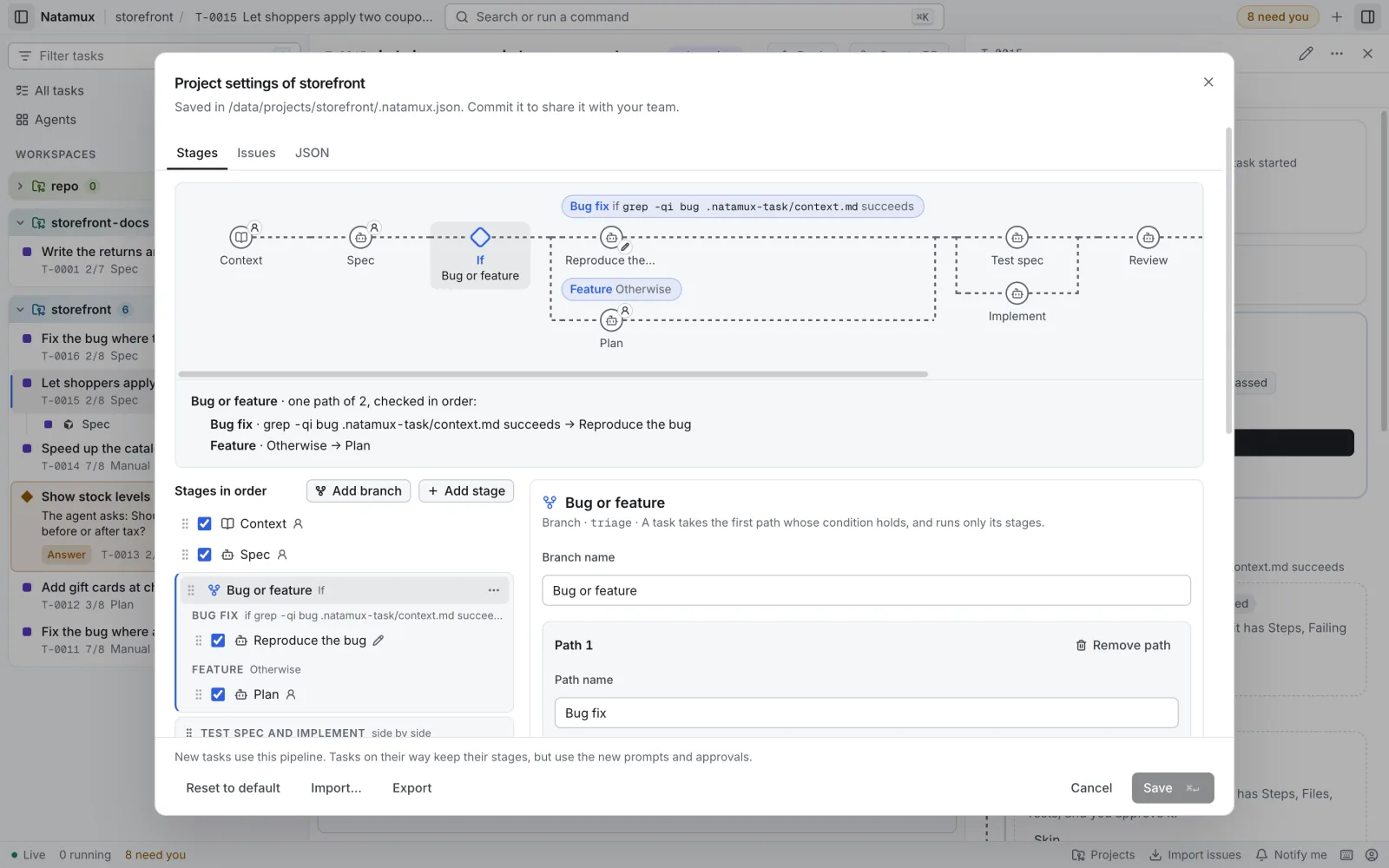
Section titled “Edit a workflow on a screen”- Open Project settings → Stages. See Project settings.
- Add, move or change stages, groups and branches. The chart on top shows the result.
- Click Save. Natamux writes
.natamux.json. - Commit the file. Everyone on the team now runs the same workflow.
The JSON tab shows the same file as text.
Patterns
Section titled “Patterns”Review loop. An agent in its own shell reviews the work and sends the task back with the findings. See The review loop.
CI watcher. A stage after the pull request watches the CI jobs and sends the task back to the stage that changes code when a job fails. The solo example does this with gh in the prompt. Or tick Check on CI on a stage: Natamux pushes a snapshot, waits for the runs and sends the failed logs back itself.
A person’s gate before a risky step. Put a manual stage, or "gate": "manual", before the step: Spec before the code, Final check before the end. The task waits in state review until a person approves.
Condition from a file or from a command.
| Use | When |
|---|---|
output |
An agent decides, and a person can read and fix the answer. Triage in the team example. |
command |
The repository decides, for example test -f .no-review or a git check. No agent has to write a file. |
Limit a loop. An agent can send a task back 2 times. The third time the stage waits for the person. To stop earlier, say it in the prompt: “After 3 rounds, stop and tell me what is left.”
Two example workflows
Section titled “Two example workflows”The two examples are full files. Pick the one that looks like your team.
One person, one repository. The person approves the context and the spec. After that, agents write the tests and the code, review it and watch CI.
Context → Spec → [ Test spec ‖ Implement ] → Review → Watch CI and merge manual manual Copilot Claude Code Cursor Copilot (workflow) own shell ▲ │ findings └────────────┤ ▲ │ conflict or failed CI └────────────┘ (from Watch CI and merge)The task’s agent is Claude Code, so Context, Spec and Implement run in Shell 1. The other three stages name their own agent.
The solo file
Section titled “The solo file”Full file: .natamux.json
{ "stages": [ { "id": "context", "kind": "context", "gate": "manual", "output": "context.md" }, { "id": "spec", "kind": "agent", "gate": "manual", "output": "spec.md", "sections": ["Goal", "Scope", "Out of scope", "Acceptance criteria"] }, { "id": "build", "name": "Test spec and Implement", "parallel": [ { "id": "test-spec", "kind": "agent", "gate": "auto", "output": "test-spec.md", "sections": ["Cases"], "agent": "copilot", "endShell": true }, { "id": "implement", "kind": "agent", "gate": "auto", "workflow": true, "prompt": "Task: {title}\nRead {dir}/spec.md and {dir}/plan.md when they are there.\nWrite the tests first (TDD), then the code that makes them pass.\nDo not commit." } ] }, { "id": "agent-review", "name": "Review", "kind": "agent", "gate": "auto", "output": "review.md", "sections": ["Findings"], "ownShell": true, "agent": "cursor", "endShell": true, "prompt": "Task: {title}\nReview the changes of this task against {dir}/spec.md. Do not change code.\nWrite {dir}/review.md with a Findings section: each problem with its file and why, or \"None\". Keep the old rounds as revisions.\nWhen a problem must be fixed, run `natamux stage back $NATAMUX_TASK_ID --to implement --reason \"<the problems, one per line>\"` and stop. Do not run natamux done.\nWhen there are no findings, commit, push and open the pull request, then run `natamux done`." }, { "id": "ci-cd-watch", "name": "Watch CI and merge", "kind": "agent", "gate": "auto", "agent": "copilot", "prompt": "Task: {title}\nWatch the pull request of this task.\nWhen it has a conflict, run `natamux stage back $NATAMUX_TASK_ID --to implement --reason \"Fix the conflict\"` and stop. Do not run natamux done.\nWhen a CI job fails, run `natamux stage back $NATAMUX_TASK_ID --to implement --reason \"<the failed jobs>\"` and stop. Do not run natamux done.\nWhen all jobs are green, merge the pull request, then run `natamux done`.\nIf the task is a release, stop after the merge and tell me to run the release script. Never create or push a tag." } ]}The owner’s file also has review, testing, merge-prs and release stages with "enabled": false. A stage that is off stays in the file with its prompt and gate, but new tasks do not get it. Use it to keep a step you may need later, or to try a change without losing the old setup. The example leaves them out.
Solo: who runs where
Section titled “Solo: who runs where”| Stage | Agent | Shell |
|---|---|---|
| Context, Spec, Implement | Claude Code (the task’s agent) | Shell 1 |
| Test spec | Copilot | Its own shell, closed when done |
| Review | Cursor | Its own shell, closed when done |
| Watch CI and merge | Copilot | Its own shell |
See Mix agents in one task for why.
Solo: send back points
Section titled “Solo: send back points”| From | To | When | What happens |
|---|---|---|---|
| Review | Implement | The review has findings | Implement starts again with “What to change: …”. Review runs again after it, in a new session because Review ends its shell. |
| Watch CI and merge | Implement | A conflict in the pull request | Implement fixes it. Review and Watch CI and merge run again. |
| Watch CI and merge | Implement | A CI job fails | Same, with the failed jobs as the reason. |
An agent may send the task back from its stage 2 times. The third time the stage waits for you. See Review by an agent.
Solo: two rules in the prompts
Section titled “Solo: two rules in the prompts”- After
natamux stage back, the agent stops. It does not runnatamux done. Natamux adds “When you are done, run natamux done, unless the steps above say not to.” to every prompt, so the prompt must say when not to. - A person makes the release tag. The CI stage merges the pull request, but its prompt tells the agent to stop at a release and never create a tag.
A team shares one .natamux.json. A person starts a task, and a triage agent decides where the task is: a teammate’s pull request waits for review, or new work starts. The task then takes the path that fits.
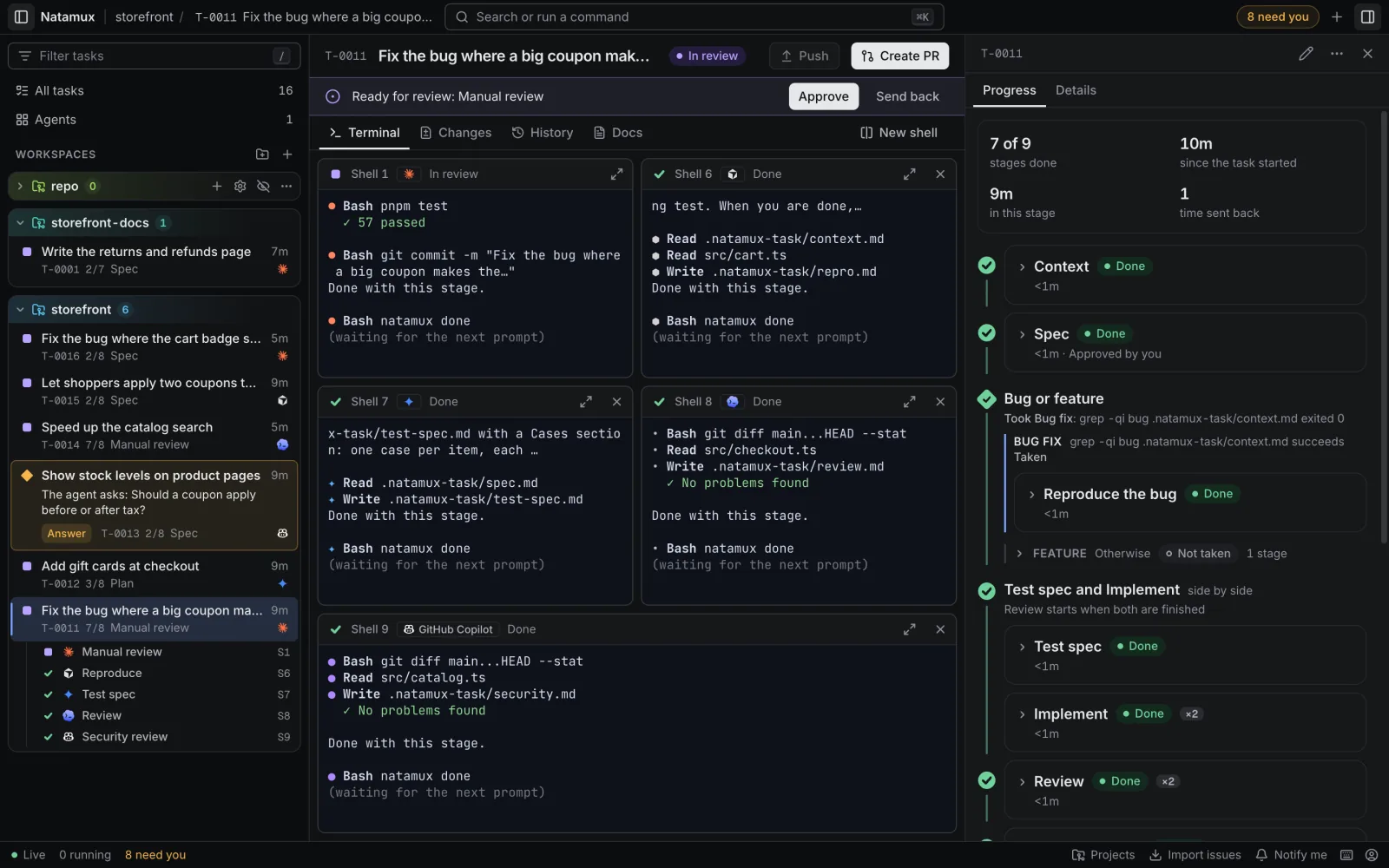
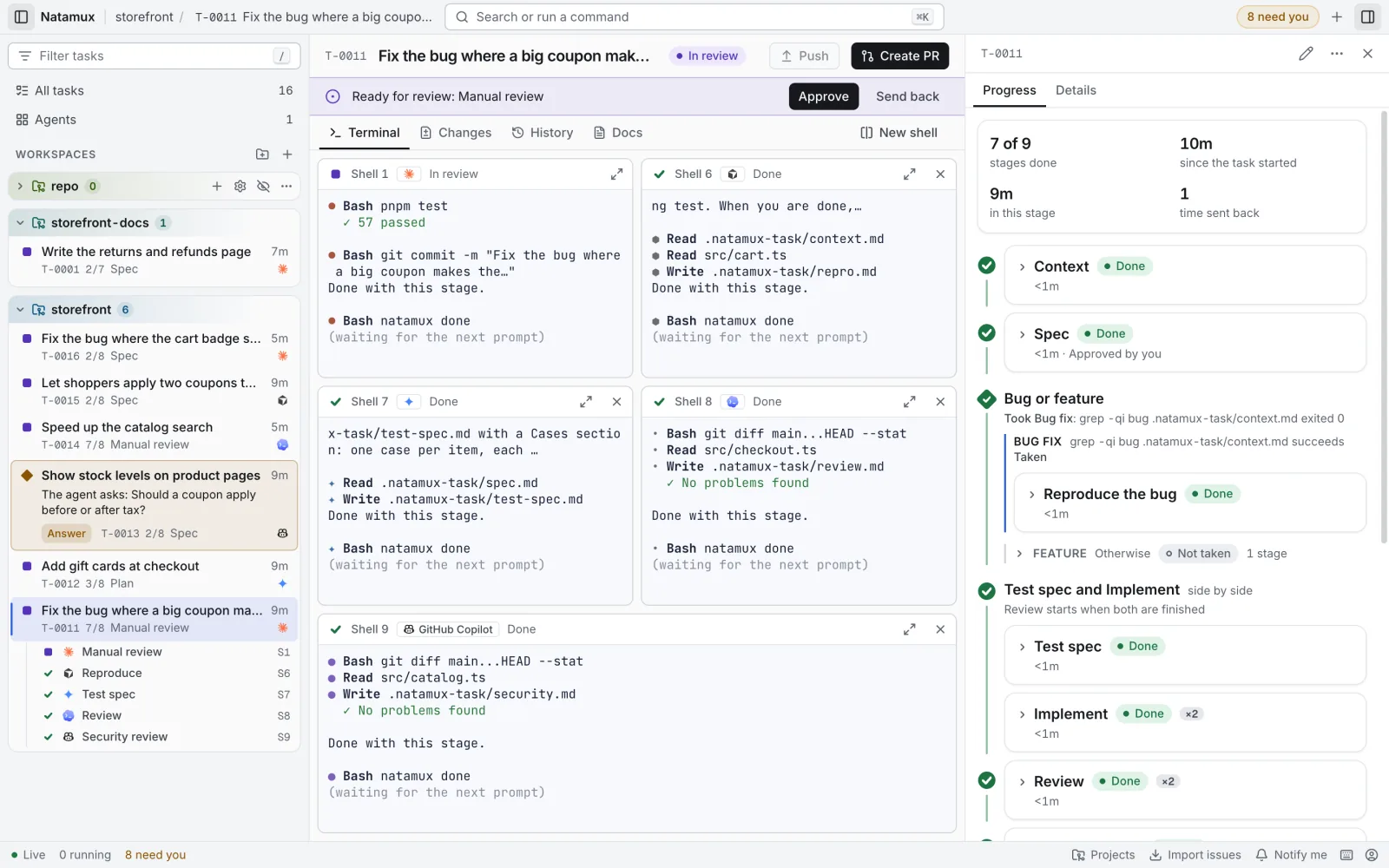
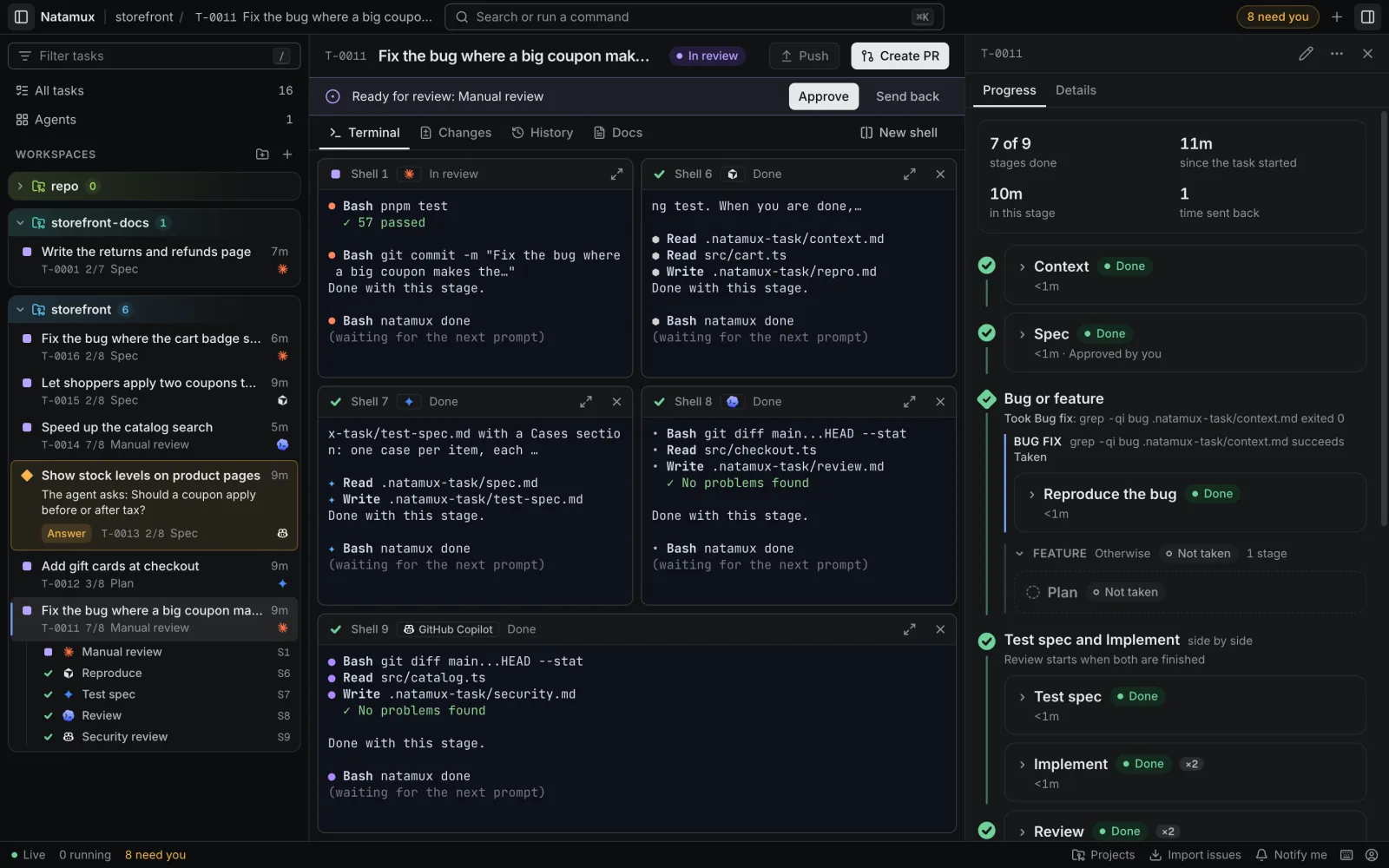
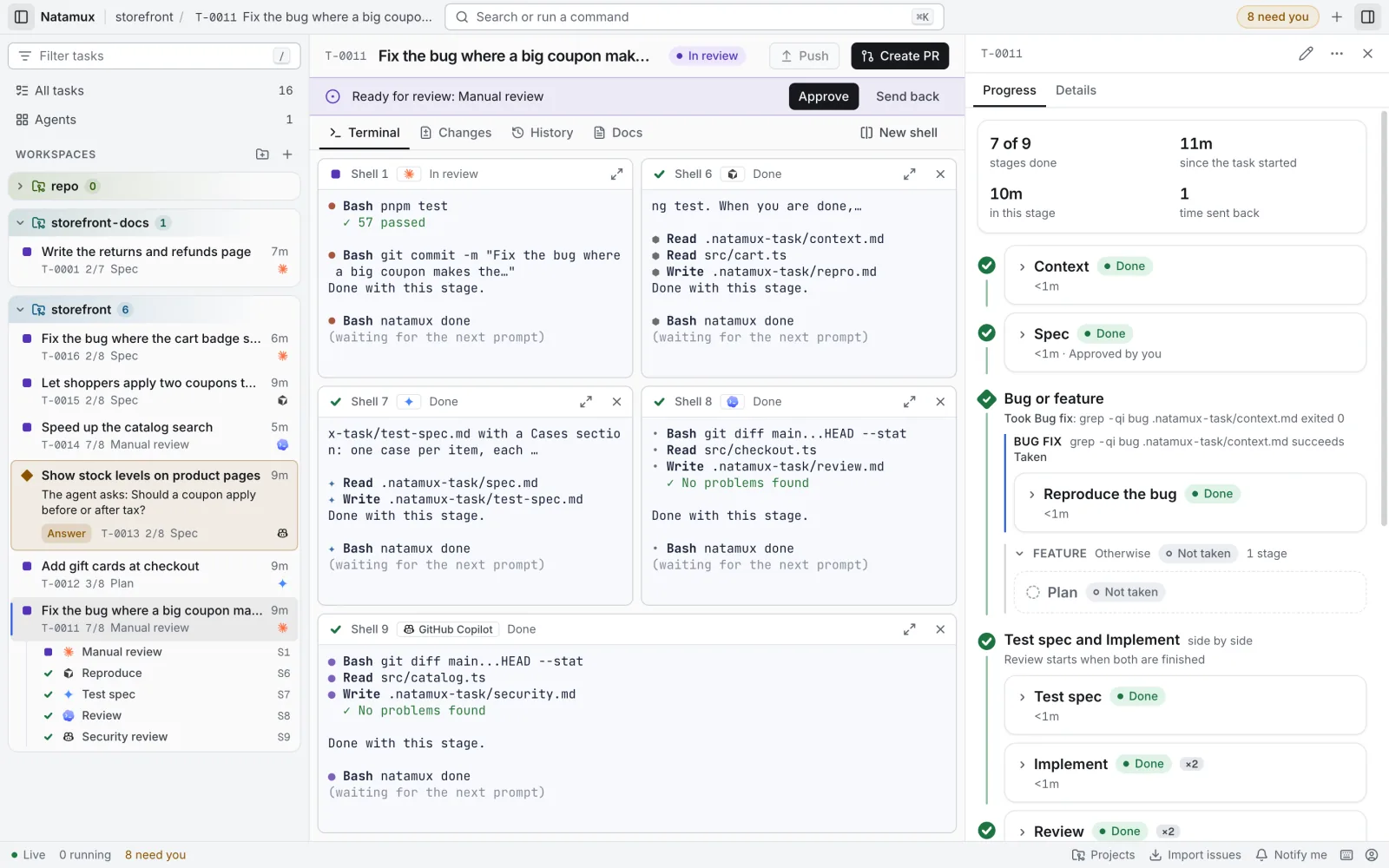
Context → Triage → ◇ Where is the task ──────────────────────────────────────────┐ auto manual │ │ ├─ If status.md "Stage" has [review-pr]: Review a teammate's PR │ Review PR → Follow PR CI → Wait for the author's fix → QA build │ Claude Code (auto) (auto) (auto) │ own shell │ └─ Otherwise: Develop Spec → Plan → Implement → Review implementation → Commit and open PR manual Claude Code, own shell → Follow CI → Verify impact list → Definition of done and review request Cursor Claude Code Copilot │ Final check ◄────────────────────┘ manualThe review of the teammate’s pull request and the development of your own change never run for the same task. In Progress, the path not taken folds into one row marked Not taken.
The team file
Section titled “The team file”Full file: .natamux.json
{ "stages": [ { "id": "context", "kind": "context", "gate": "auto", "output": "context.md" }, { "id": "triage", "name": "Find where the task is", "kind": "agent", "gate": "manual", "output": "status.md", "sections": ["Stage", "Evidence"], "prompt": "Task: {title}\nRead {dir}/context.md and check the branches and pull requests of this repository.\nWrite {dir}/status.md. Under ## Stage write one line: [review-pr] when a teammate's pull request waits for my review, else [develop]. Under ## Evidence list what you found." }, { "id": "where", "name": "Where is the task", "paths": [ { "id": "review-pr", "name": "Review a teammate's PR", "when": { "type": "output", "file": "status.md", "section": "Stage", "contains": "[review-pr]" }, "stages": [ { "id": "review-pull-request", "name": "Review PR", "kind": "agent", "gate": "auto", "output": "review.md", "sections": ["Findings"], "ownShell": true, "agent": "claude-code", "endShell": true, "prompt": "Task: {title}\nReview the pull request in {dir}/status.md. Do not change code.\nWrite {dir}/review.md with a Findings section." }, { "id": "follow-pr-ci", "name": "Follow PR CI", "kind": "agent", "gate": "auto", "prompt": "Task: {title}\nWatch the CI of the pull request. Report each failed job in the pull request." }, { "id": "wait-for-author-fix", "name": "Wait for the author's fix", "kind": "agent", "gate": "auto", "prompt": "Task: {title}\nWait until the author pushes a fix. Check that the findings of {dir}/review.md are fixed." }, { "id": "qa-build", "name": "QA build", "kind": "agent", "gate": "auto", "prompt": "Task: {title}\nBuild the pull request branch and run its tests. Report the result." } ] }, { "id": "develop", "name": "Develop", "stages": [ { "id": "spec", "kind": "agent", "gate": "manual", "output": "spec.md", "sections": ["Goal", "Scope", "Acceptance criteria"] }, { "id": "plan", "kind": "agent", "gate": "auto", "output": "plan.md", "sections": ["Steps", "Files", "Tests"] }, { "id": "implement", "kind": "agent", "gate": "auto" }, { "id": "agent-review", "name": "Review implementation", "kind": "agent", "gate": "auto", "output": "review.md", "sections": ["Findings"], "ownShell": true, "agent": "claude-code", "endShell": true, "prompt": "Task: {title}\nReview the changes against {dir}/spec.md. Do not change code.\nWrite {dir}/review.md with a Findings section, or \"None\".\nWhen a problem must be fixed, run `natamux stage back $NATAMUX_TASK_ID --to implement --reason \"<the problems>\"` and stop. Do not run natamux done." }, { "id": "commit-and-open-pr", "name": "Commit and open PR", "kind": "agent", "gate": "auto", "prompt": "Task: {title}\nCommit the changes, push the branch and open a pull request." }, { "id": "follow-ci", "name": "Follow CI", "kind": "agent", "gate": "auto", "agent": "cursor", "endShell": true, "prompt": "Task: {title}\nWatch the CI of the pull request.\nWhen a job fails, run `natamux stage back $NATAMUX_TASK_ID --to implement --reason \"<the failed jobs>\"` and stop. Do not run natamux done." }, { "id": "verify-impact-list", "name": "Verify impact list", "kind": "agent", "gate": "auto", "output": "impact-list.md", "agent": "claude-code", "endShell": true, "prompt": "Task: {title}\nList the features the change can affect in {dir}/impact-list.md, and check each one against the code.\nWhen one is broken, run `natamux stage back $NATAMUX_TASK_ID --to implement --reason \"<the broken features>\"` and stop. Do not run natamux done." }, { "id": "definition-of-done", "name": "Definition of done and review request", "kind": "agent", "gate": "auto", "agent": "copilot", "endShell": true, "prompt": "Task: {title}\nCheck the Definition of done of the team against this pull request. Then ask the team for a review." } ] } ] }, { "id": "final-check", "kind": "manual", "gate": "manual" } ]}The branch rules from Paths with a condition hold:
- The branch has 2 paths. The last one has no
when, so it is the Otherwise path. - The branch is not the first step and does not follow another branch. A path holds no group, branch, context or release stage.
- Every stage id is unique in the whole file, so each stage is on exactly one path.
- The condition reads only the lines under
## Stage. A marker the agent quotes under## Evidencedoes not count.
Team: who runs where
Section titled “Team: who runs where”| Stage | Agent | Shell |
|---|---|---|
| Context | none | none |
| Triage, Spec, Plan, Implement, Commit and open PR | The task’s agent | Shell 1 |
| Review PR | Claude Code | Its own shell, closed when done |
| Review implementation | Claude Code | Its own shell, closed when done |
| Follow CI | Cursor | Its own shell, closed when done |
| Verify impact list | Claude Code | Its own shell, closed when done |
| Definition of done and review request | Copilot | Its own shell, closed when done |
| Follow PR CI, Wait for the author’s fix, QA build | The task’s agent | Shell 1 |
Team: send back points
Section titled “Team: send back points”All three go to Implement on the Develop path.
| From | When |
|---|---|
| Review implementation | The review has findings |
| Follow CI | A CI job fails |
| Verify impact list | The check finds a broken feature |
The prompt of each stage ends its report with the same line, then stops:
natamux stage back $NATAMUX_TASK_ID --to implement --reason "The retry loop never stops; see review.md"The agent does not run natamux done after it. After the fix, Natamux runs the stages after Implement again.
How a team uses it
Section titled “How a team uses it”- One committed file. Everyone’s task runs the same steps, with the same checks.
- Each person’s task takes the path that fits its state. Triage writes the marker, a person reads it and approves the stage, and Natamux checks the condition when the approval comes. A person can fix
status.mdfirst. - In Progress, the branch says Took Develop or Took Review a teammate’s PR and the reason. The other path is one folded row marked Not taken.
- A person steps in at the manual gates: Triage, Spec and Final check.
Related
Section titled “Related”- Mix agents in one task: a different agent and model per stage
- Stages: kinds, gates, checks, groups and branches
- Project settings: edit the pipeline on a screen
- Configuration: every field of
.natamux.json - The review loop: the default pipeline at work