
The review loop
The default pipeline is built so that agents check each other. After you approve the plan, two agents work at the same time: one writes the test cases from the spec, the other writes the code. When both are done, the tests run. Then a third agent, in a shell and session of its own, reviews the changes. If it finds problems, it sends the task back to Implement by itself, with the reasons, and the loop runs again until the review passes.
- A The task's agent, Shell 1
- B Test spec agent, Shell 2
- C Review agent, Shell 5
- Waits for your approval
The flow in words
- Context: Natamux writes
context.mdfrom your notes, a GitHub issue or a skill. - Spec: the task's agent (A) writes
spec.mdin Shell 1. You approve it. - Plan: agent A writes
plan.mdin the same session. You approve it. - Test spec and Implement start together. Agent B writes
test-spec.mdin Shell 2 without reading the code; you approve it. Agent A writes the tests and the code in Shell 1. - Automated tests: when both are done, agent A adds a test for each case and runs all tests.
- Review: agent C starts in Shell 5 and writes
review.md. - With findings, agent C sends the task back to Implement with the reasons. Implement, Automated tests and Review run again. A third send back is refused, and the task waits for you instead.
- Without findings, the task goes to Release. You open the pull request; the merge finishes the task.
You approve three things: the spec, the plan and the test spec. Everything after that runs on its own, unless an agent asks you something, a check fails twice, or the loop reaches its limit.
Step by step
Section titled “Step by step”| # | Stage | Who works | Shell | You |
|---|---|---|---|---|
| 1 | Context | Natamux, or the task’s agent for a skill or MCP source | none, or Shell 1 | Nothing for notes you typed: it passes by itself |
| 2 | Spec | The task’s agent (agent A) writes spec.md |
Shell 1 | Approve or Send back |
| 3 | Plan | Agent A writes plan.md, in the same session |
Shell 1 | Approve or Send back |
| 4 | Test spec | Agent B writes test-spec.md from the spec, without reading the code |
Shell 2 | Approve or Send back |
| 4 | Implement | Agent A writes the tests first, then the code | Shell 1 | Nothing |
| 5 | Automated tests | Agent A adds a test for each case of the test spec, then runs all tests and fixes failures | Shell 1 | Nothing |
| 6 | Review | Agent C reads the changes against the spec and writes review.md |
Shell 5 | Nothing |
| 7 | Release | Your git host | none | Open the pull request and merge it |
The two stages of step 4 run side by side as one group, Test spec and Implement. The group ends when both stages are done, so Automated tests starts only after you approve the test spec and Implement has finished.
If you turn Plan off in project settings, the two agents start right after you approve the spec.
Two agents at once
Section titled “Two agents at once”When the task reaches the group, Natamux starts both stages at the same moment.
- Implement stays in Shell 1. Its prompt goes into the session that wrote the spec and the plan, so the agent keeps what it already read, and its prompt cache.
- Test spec gets Shell 2 and a new session. Its prompt tells it not to read the code. The test cases come from the spec alone, so they test what was asked, not what was built.
- Each shell shows the state of its own stage in its pane header. The sidebar shows both stages under the task while it is open.
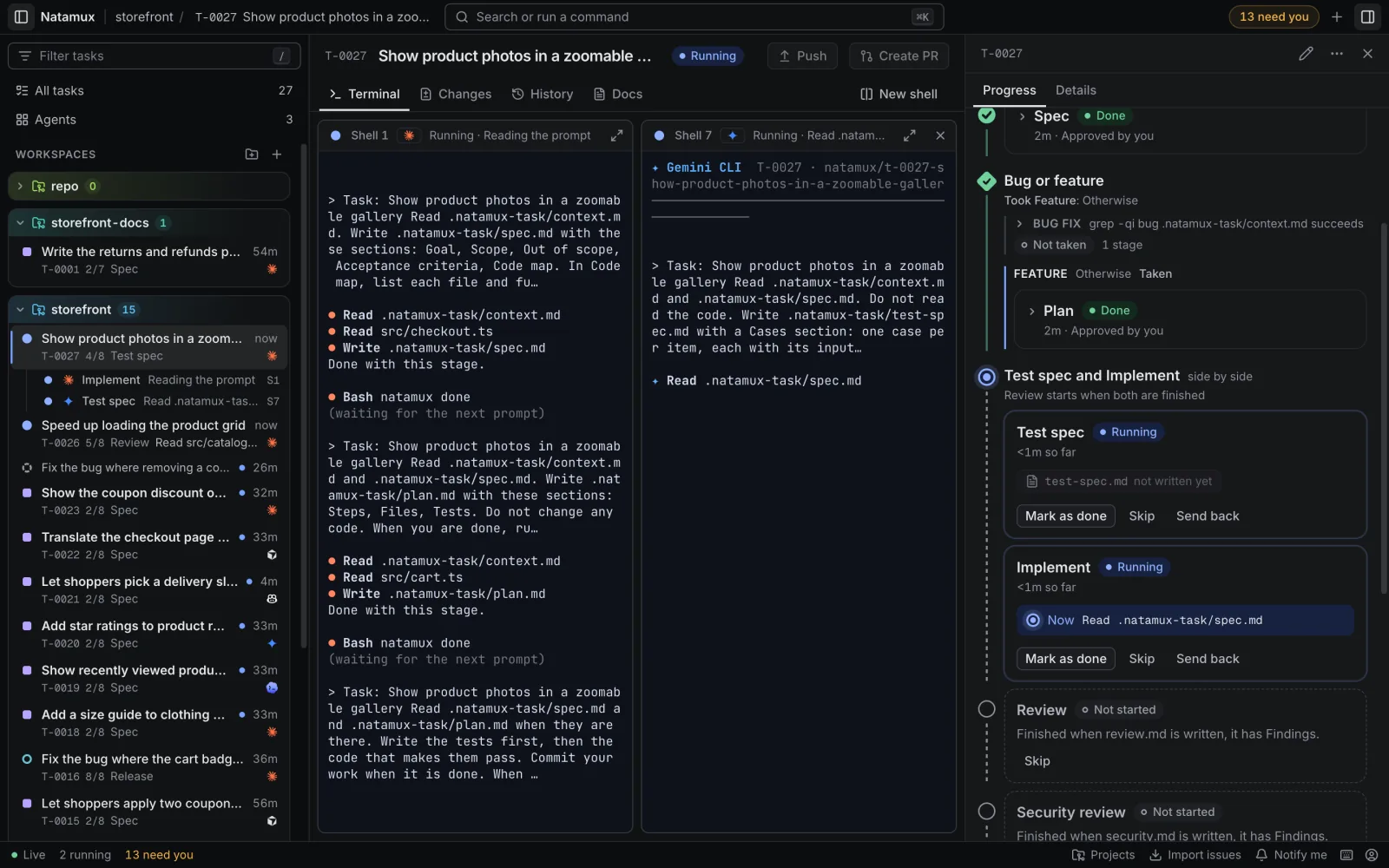
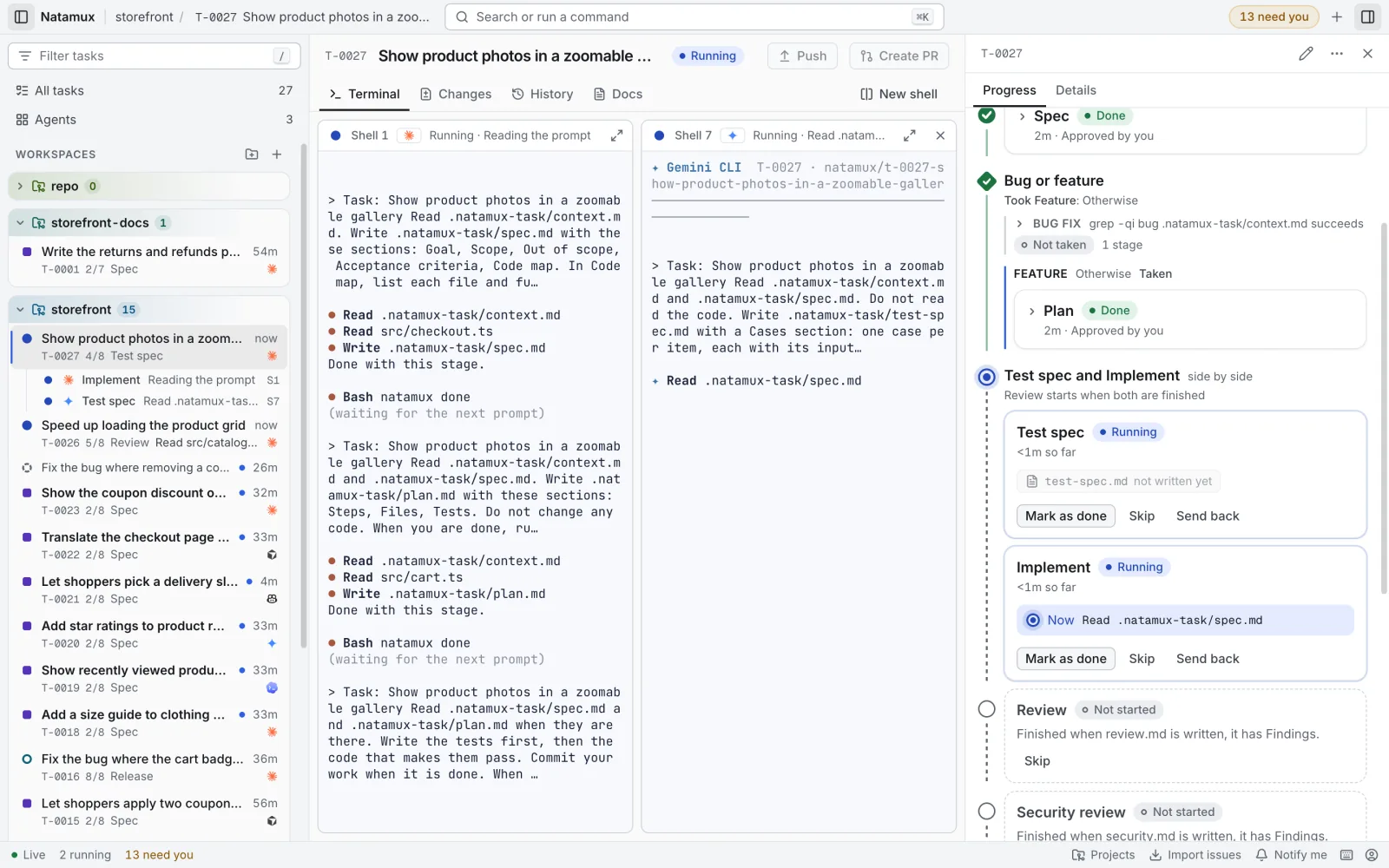
Test spec waits for your approval because the test cases decide what Automated tests checks. Read them in the Docs tab (key 4) and fix them by hand before you approve, if you like.
The review agent
Section titled “The review agent”Review is an agent stage with its own shell ("ownShell": true). It runs in Shell 5, apart from the agent that wrote the code.
- It reads
spec.mdandtest-spec.md, then the changes: what is not committed (git status,git diff) and the commits of the branch that are not on the default branch. - It does not change code.
- It writes
review.mdwith a Findings section: each problem that must be fixed, with its file and why, or “None”. - Its gate is
auto. With no findings it runsnatamux done, its checks pass, and the task goes on to Release without waiting for you.
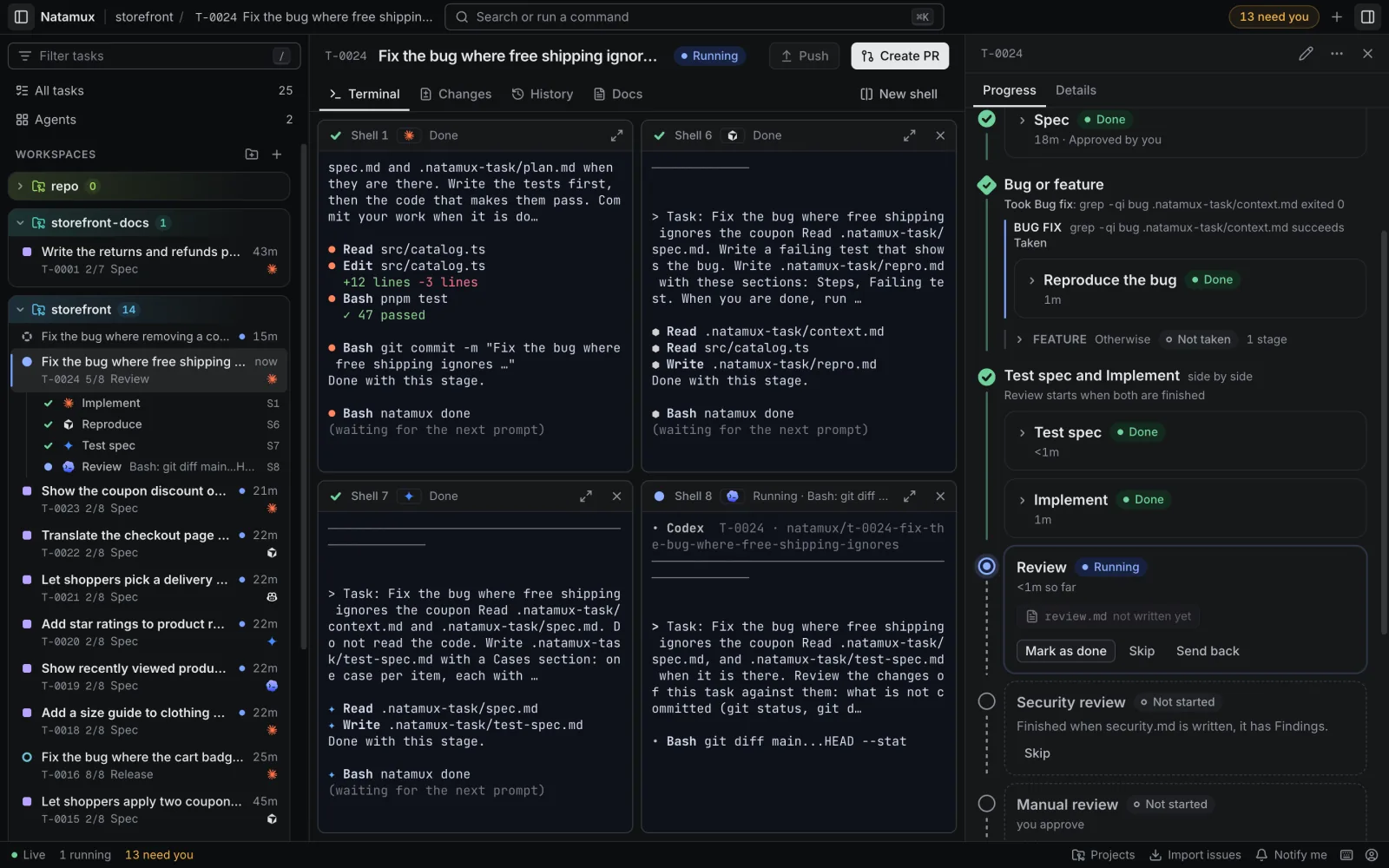
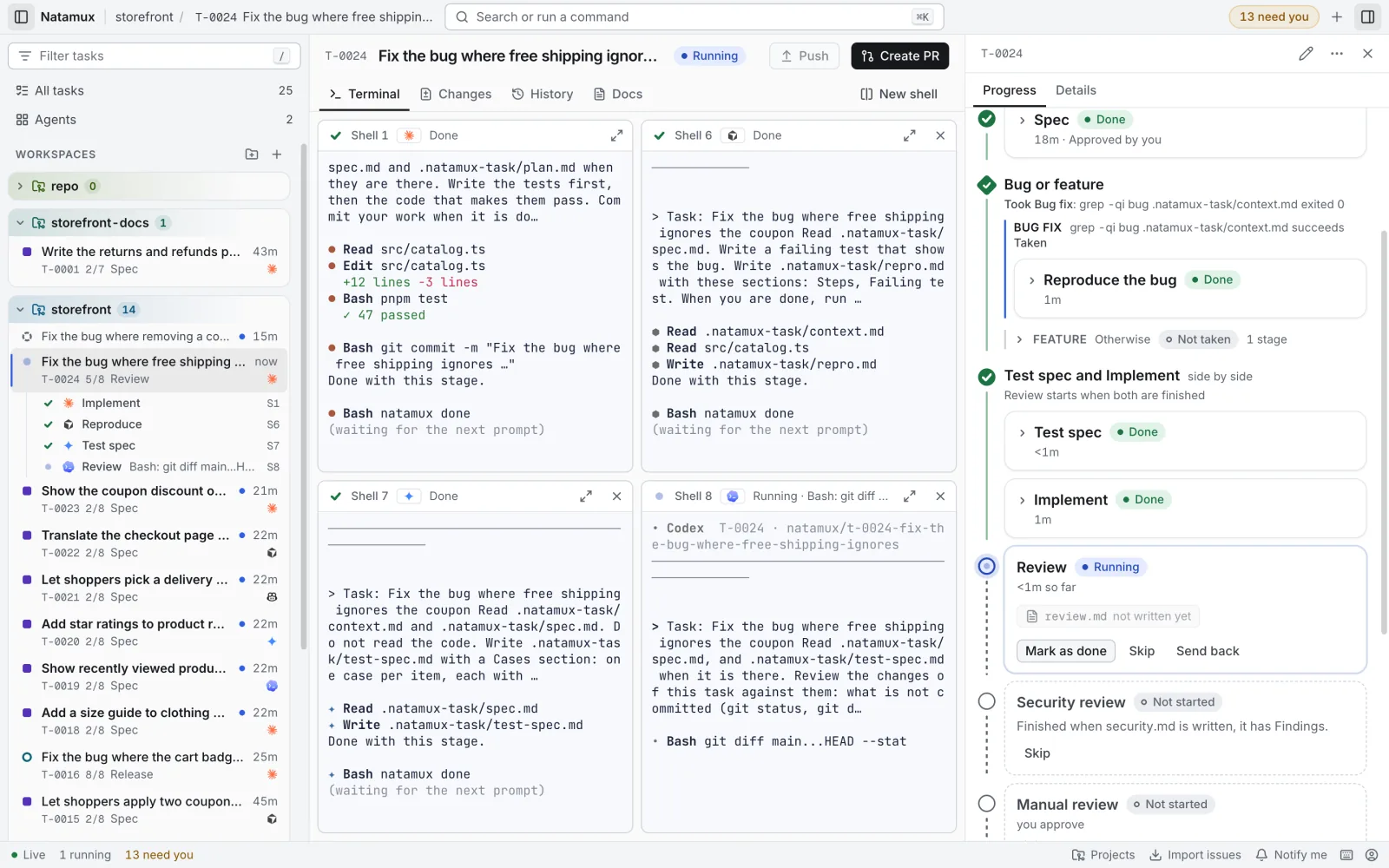
Choose the review agent
Section titled “Choose the review agent”The review agent is the task’s agent unless you pick another one. A second agent, or a stronger model, often finds what the first one missed.
- In the sidebar, click the gear next to the project, or Settings in its menu.
- On the Stages tab, click Review.
- In Agent, pick the agent, for example Codex. Task’s agent keeps the task’s own.
- Optional: in Arguments, add words for its command line, such as
--model sonnet. - Click Save (
Mod+Enter). Natamux writes.natamux.json. Commit the file to share it.
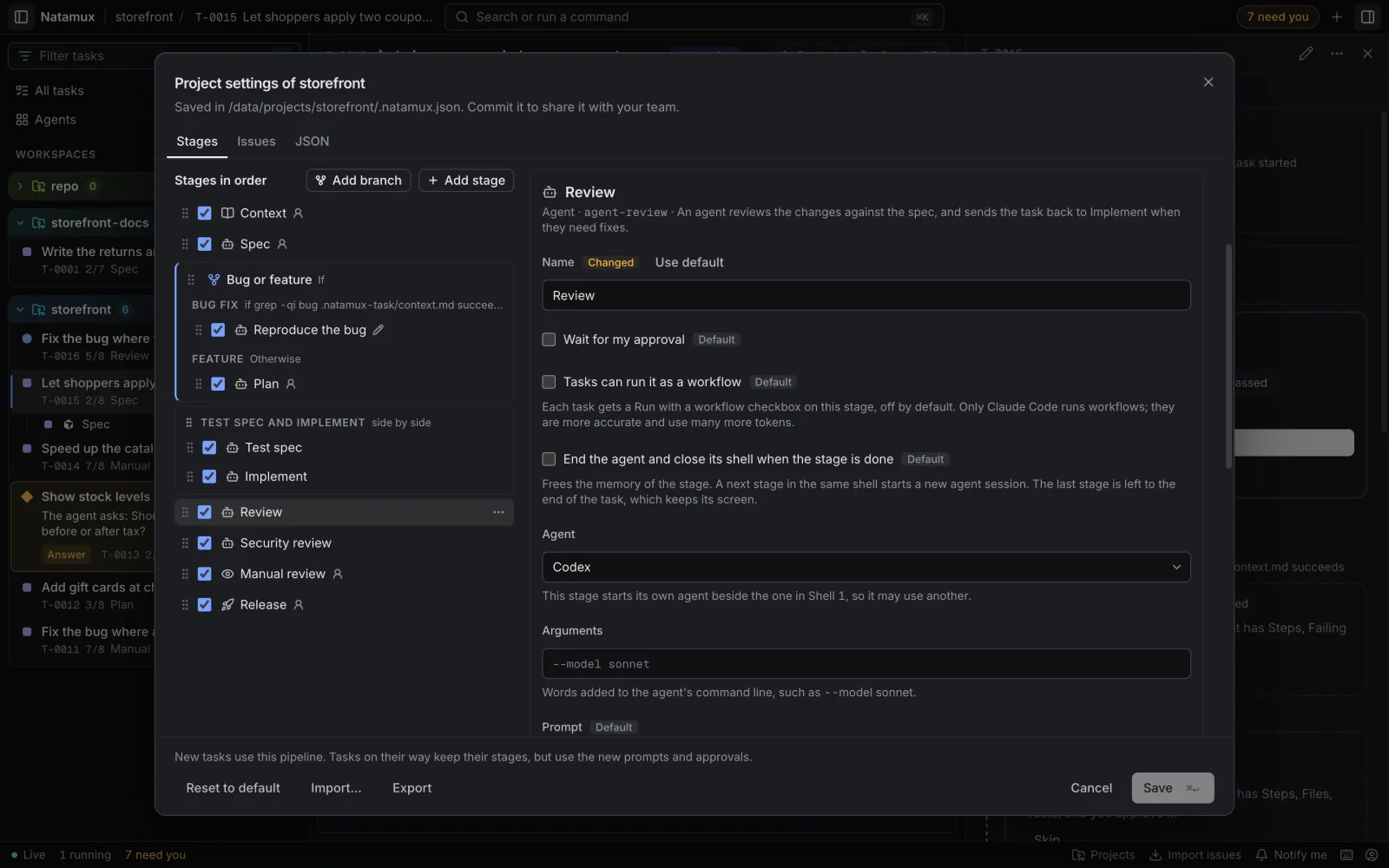
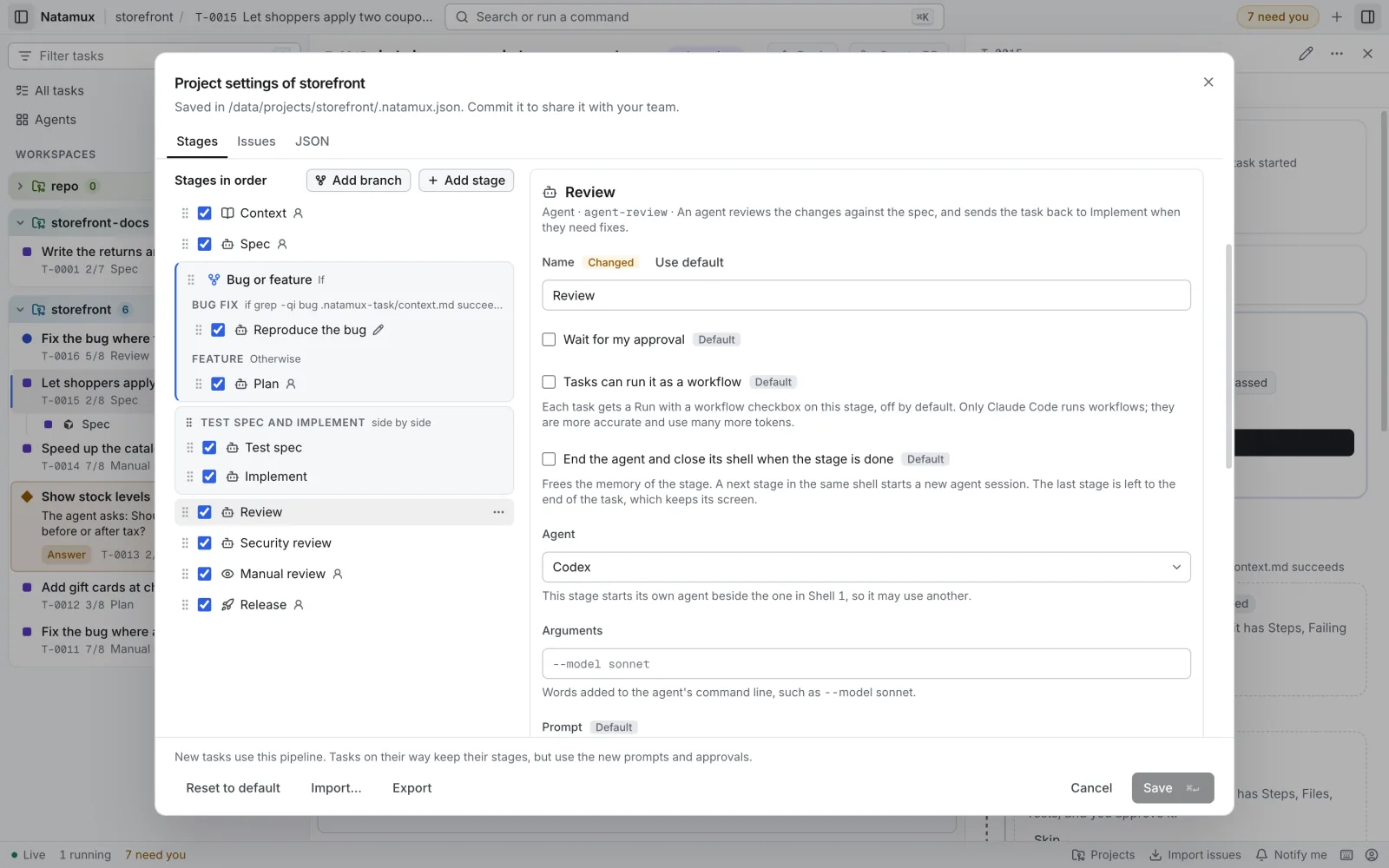
In the file, these are the agent and args fields of the Review stage:
{ "id": "agent-review", "name": "Review", "kind": "agent", "gate": "auto", "output": "review.md", "sections": ["Findings"], "ownShell": true, "agent": "codex", "args": "--model gpt-5"}The agent can be claude-code, codex, gemini, copilot or cursor. The same works for Test spec, which also starts its own agent. There is no global review setting: each project sets it on its Review stage. See Choose a model.
Findings send the task back
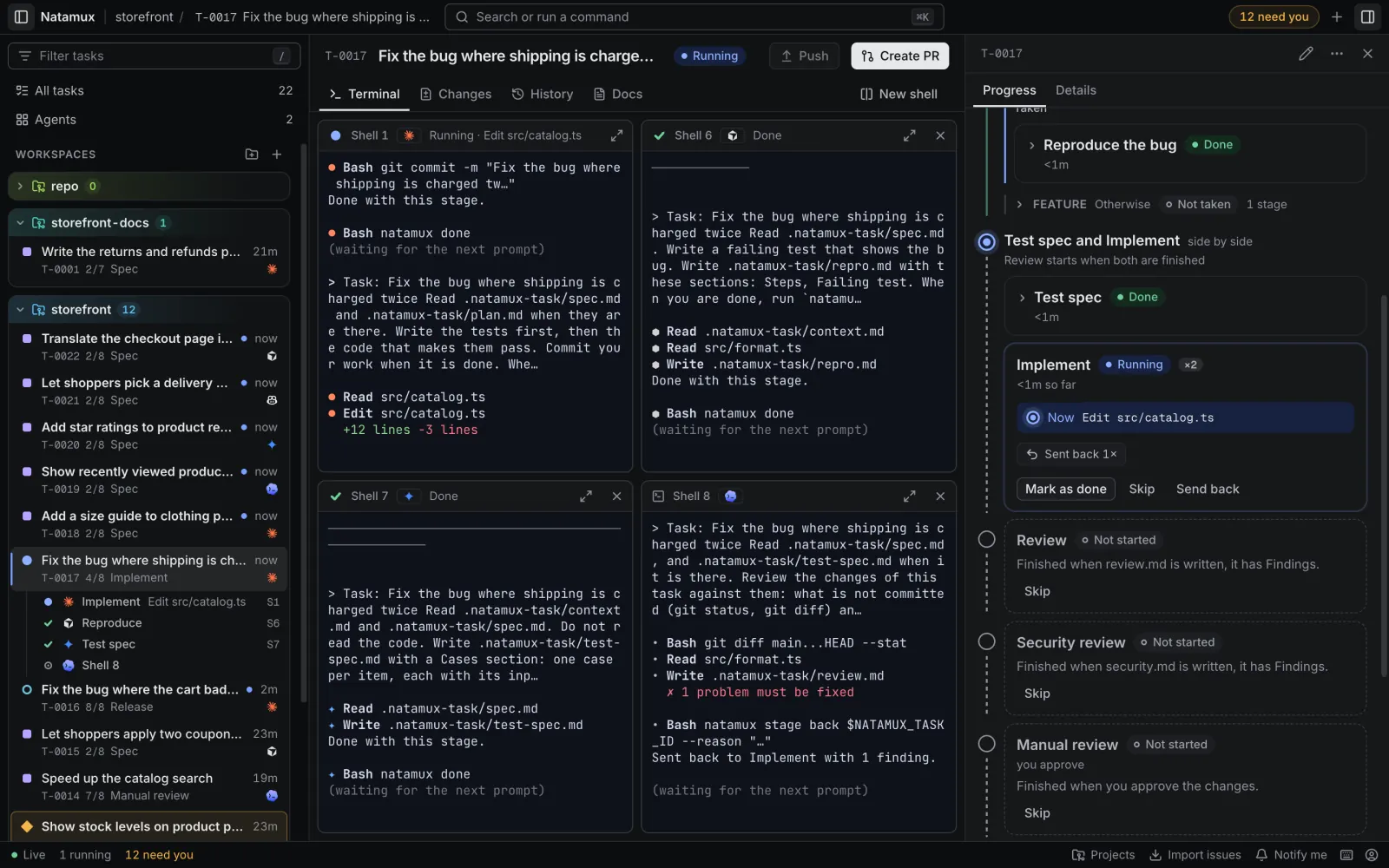
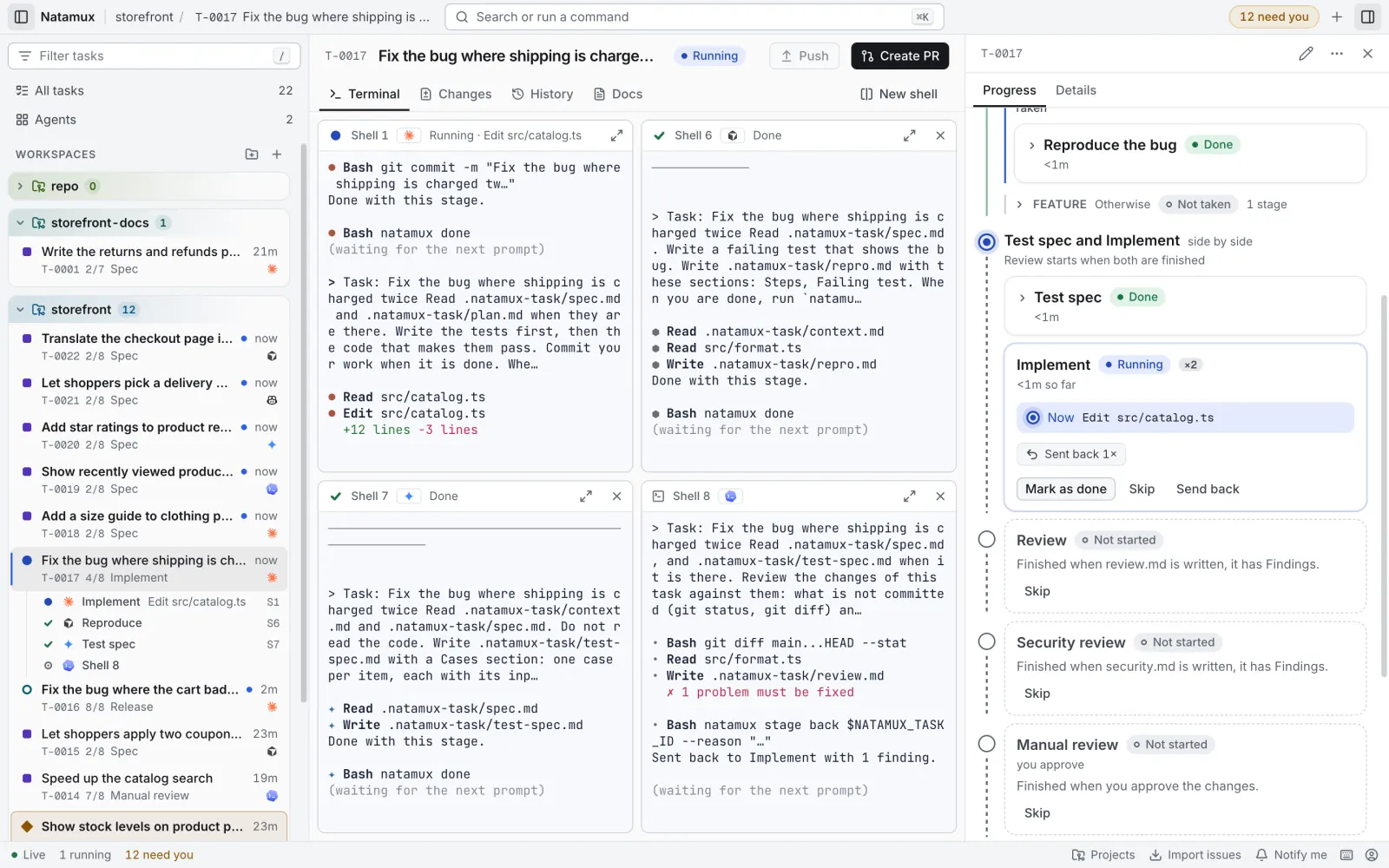
Section titled “Findings send the task back”When the review finds a problem, the agent runs:
natamux stage back $NATAMUX_TASK_ID --reason "<the problems, one per line>"and stops, without natamux done. Then:
- The task goes back to Implement, the last agent stage before Review. Test spec is done and does not run again.
- Agent A gets the Implement prompt again, with
What to change: <the reasons>added at the end. It goes into the same session in Shell 1. - Automated tests and Review run again after it. The review agent gets its prompt in the same Shell 5 session, so it knows what it asked for.
- The Implement card in Progress shows Sent back 1×, and the panel counts the times the task was sent back.
Limits
Section titled “Limits”The loop is built to end. These are the real rules:
| Rule | What happens |
|---|---|
| At most 2 send backs by an agent from one stage. | Natamux counts the times the Review stage sent the task back by itself, over the life of the task. The third natamux stage back is refused. The task goes to Needs input with “Review sent the task back 2 times. Decide what to do.” |
| You can always send it back. | Send back in the stage card, or natamux stage back T-0001 --reason "...", has no limit. |
| A check that fails twice waits for you. | When review.md is missing, empty or has no Findings section, the reasons go to the agent once. The second failure moves the task to Needs input. |
| Agents do not commit. | Implement and Automated tests leave their changes for you to read in the Changes tab. Commit them before you open the pull request, or let Generate draft the message. |
| Release waits for you. | The pipeline never pushes or opens a pull request by itself. Release waits until you open the pull request, and the task is done when it is merged. |
When the task waits for you after the second send back, you decide: fix the code yourself and press Mark as done on Review, Send back with your own reason, or Approve anyway.
Add CI to the loop
Section titled “Add CI to the loop”Implement and Automated tests can also wait for your CI. Tick Check on CI on the stage card of a task. When the agent is done, Natamux pushes a snapshot to natamux-ci/<branch> and waits for the runs. A failed run on Automated tests goes back to Implement, also at most 2 times. See Check a stage on CI.
Change the loop
Section titled “Change the loop”Everything here is the default pipeline. In project settings you can:
- turn Test spec or Review off, or turn Wait for my approval on for Review;
- add Manual review after Review, so a person reads the diff before release;
- add more report stages, such as Security review. All stages with their own shell share Shell 5: when the Review agent still runs there, a later report stage gets its prompt in that same session, not a new agent;
- add a CI watcher stage that sends the task back when a check fails (see the examples in Build a workflow);
- run a hard stage, such as Implement, as a workflow with Claude Code.
Related
Section titled “Related”- Stages: kinds, gates, checks and every stage action
- Project settings: edit the pipeline on a screen
- Configuration: the
.natamux.jsonfile - CLI reference:
natamux stage back,natamux done