
Solo
One developer, one repo. You approve the spec. The rest runs without you.
- Context
- SpecYou approve
- At the same time:
- Test specCopilot
- ImplementClaude Code
- ReviewCursorSends back to Implement
- Watch CI and mergeCopilotSends back on red CI
Stages, approvals, branches and send backs live in one committed file, .natamux.json. Each task gets its own worktree and terminals, and each stage can use a different agent: Claude Code, Codex, Gemini CLI, Copilot or Cursor. You step in only where the workflow asks for you.
Version 0.1.38 for Apple silicon. Other systems. MIT licensed, no account.
.natamux.jsonshortened
{ "stages": [ { "id": "context", "kind": "context" }, { "id": "spec", "gate": "manual" }, { "id": "triage", "name": "Bug or feature", "paths": [ { "id": "bugfix", "name": "Bug fix", "when": { "type": "command", "run": "grep -qi bug .natamux-task/context.md" }, "stages": [ { "id": "reproduce", "agent": "cursor" } ] }, { "id": "feature", "name": "Feature", "stages": [ { "id": "plan", "gate": "manual" } ] } ] }, { "id": "build", "parallel": [ { "id": "test-spec", "agent": "gemini" }, { "id": "implement" } ] }, { "id": "agent-review", "name": "Review", "agent": "codex" }, { "id": "security", "agent": "copilot" }, { "id": "review", "name": "Manual review", "gate": "manual" }, { "id": "release", "gate": "manual" } ]}
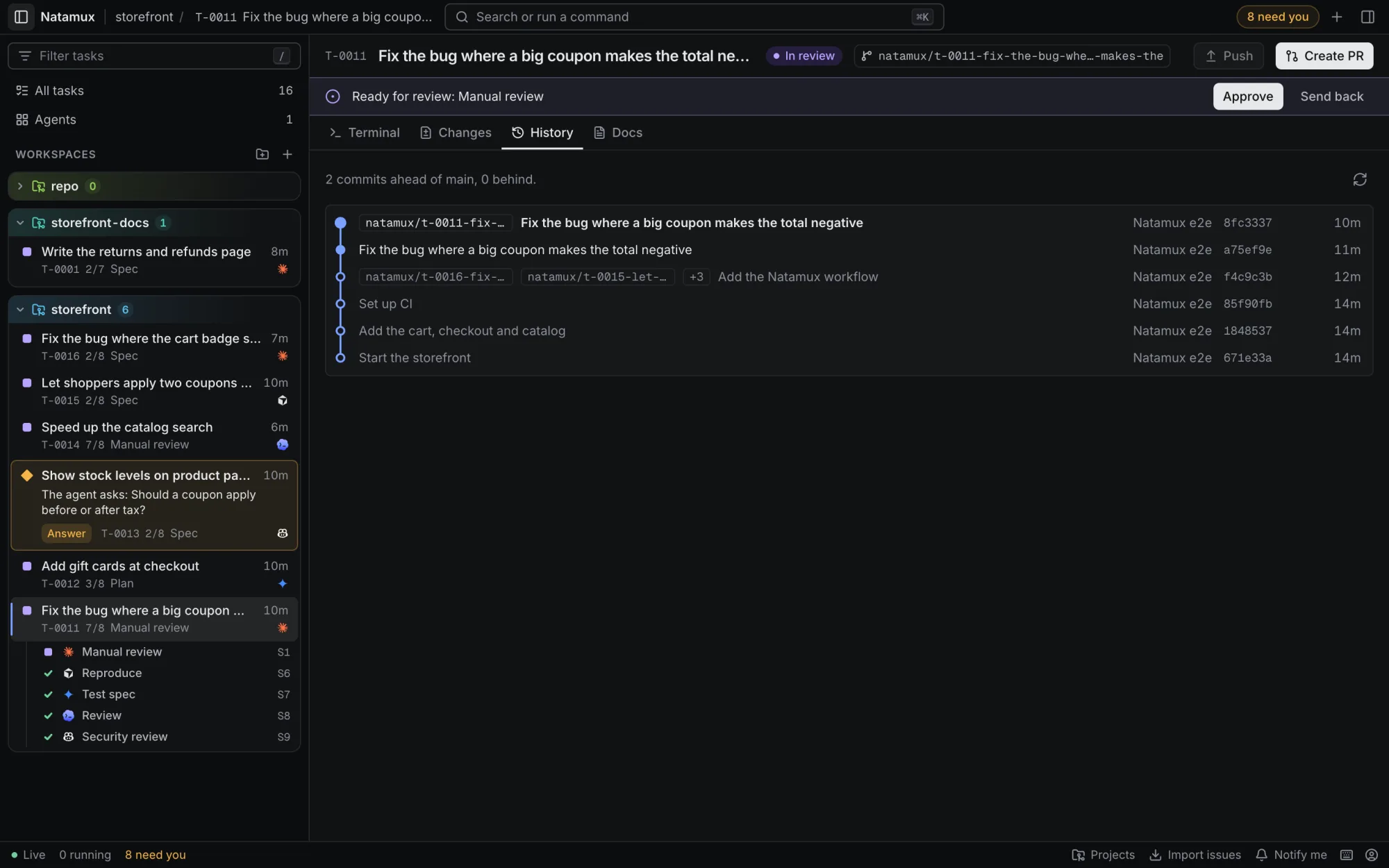
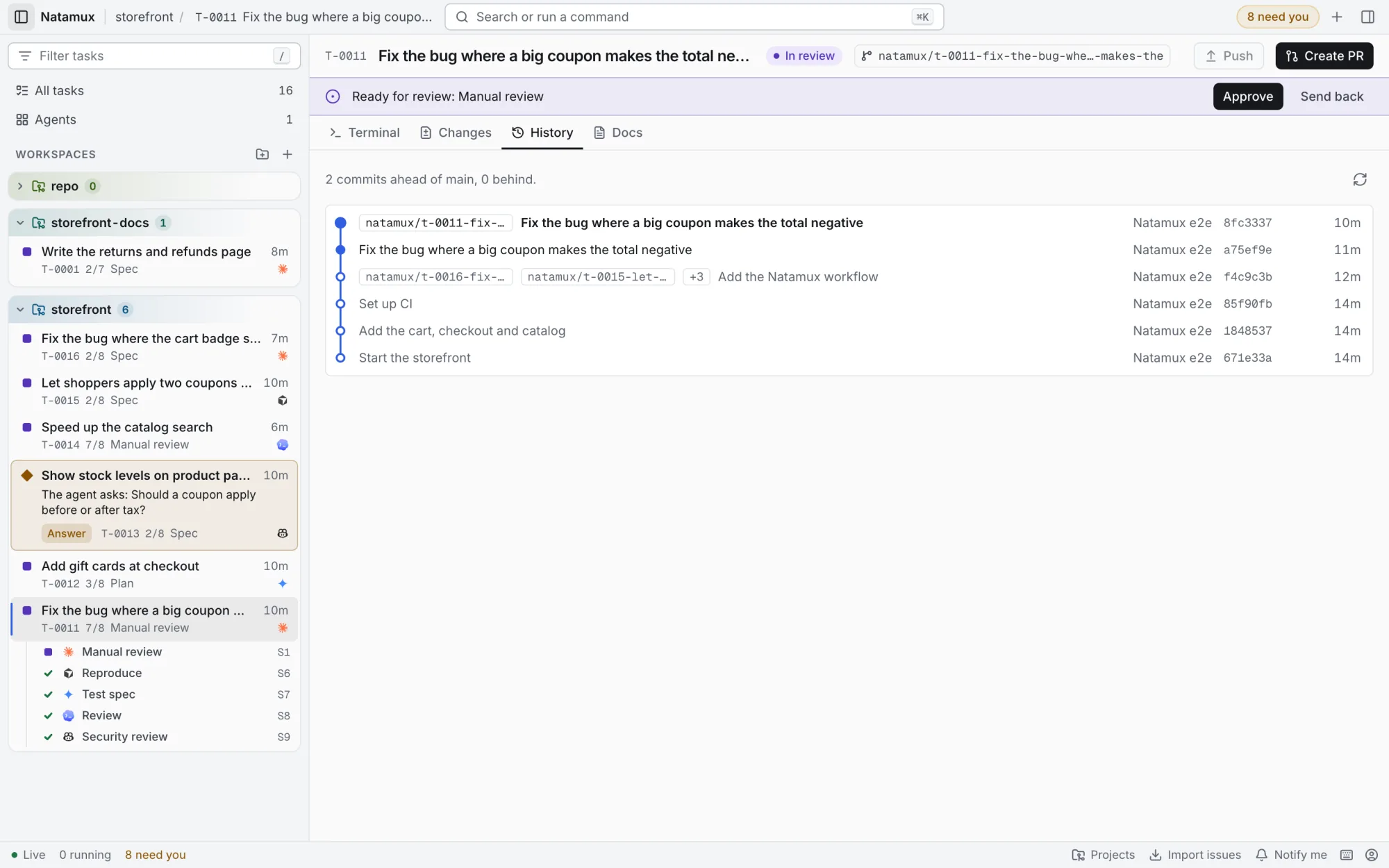
An animated graph of the storefront workflow. Its stages: Context; Spec, which waits for your approval; an If node, Bug or feature, with two paths: Bug fix, where Cursor reproduces the bug, and the Otherwise path, Feature, where Plan waits for your approval; then Test spec with Gemini CLI and Implement with Claude Code, side by side; Review with Codex, which can send the task back to Implement at most twice; Security review with Copilot; Manual review by you; and Release. Three tasks run it. T-0011 takes the Bug fix path, because grep -qi bug context.md exited 0. Review sends it back once: a coupon larger than the total makes it negative. Implement runs a second time, the review passes, and T-0011 waits at Manual review until you click Approve. T-0012 takes the Feature path and waits for you at Plan. T-0014 runs Test spec and Implement at the same time. Next to the graph is the shortened .natamux.json file of this workflow.
Works with
A bug task in the storefront project, start to finish: the branch picks Bug fix, Gemini CLI and Claude Code work side by side, Codex sends the task back once, and you approve it.
Each block is a few lines in .natamux.json, or a few clicks in Project settings → Stages. Put them in any order your team works in.
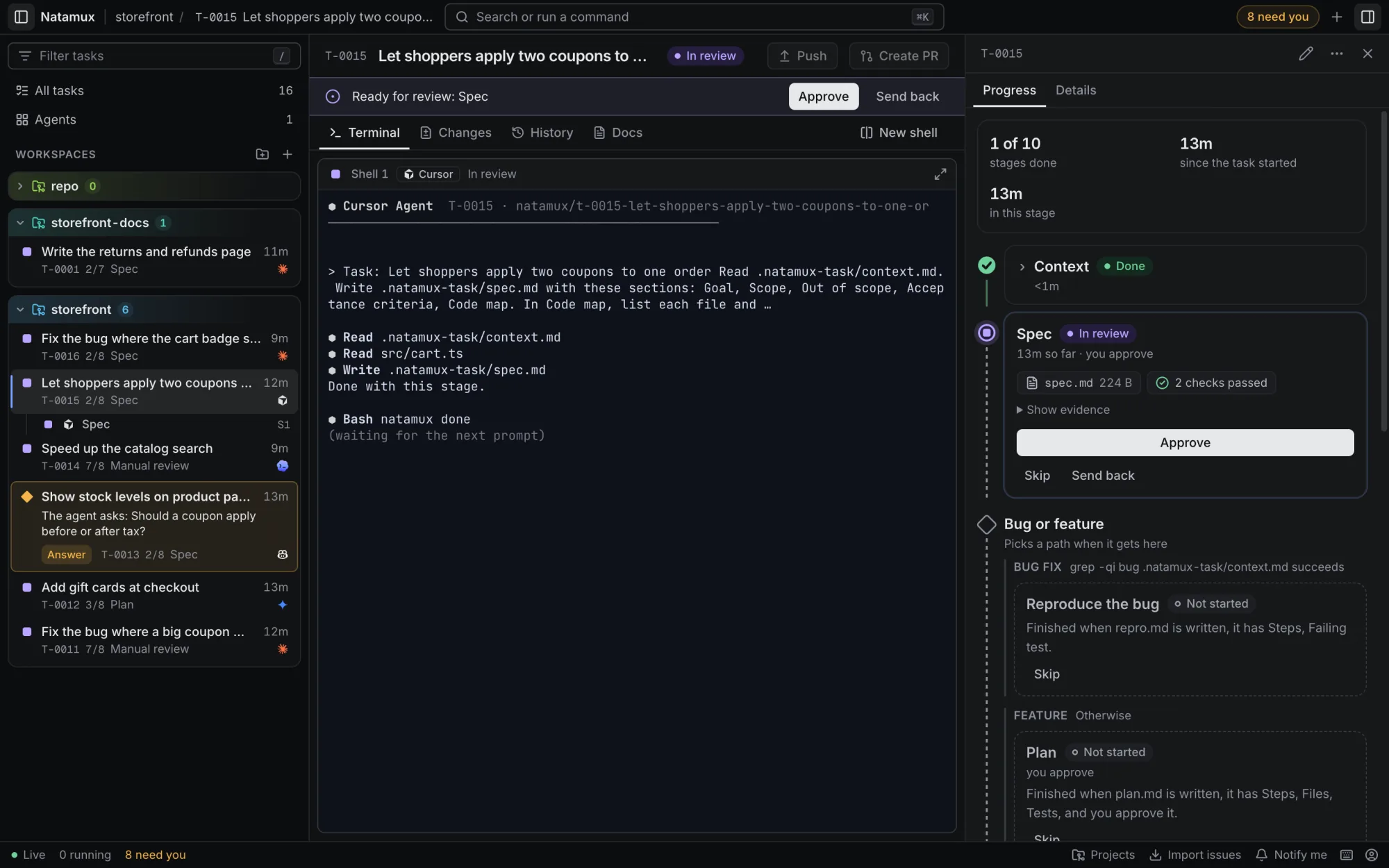
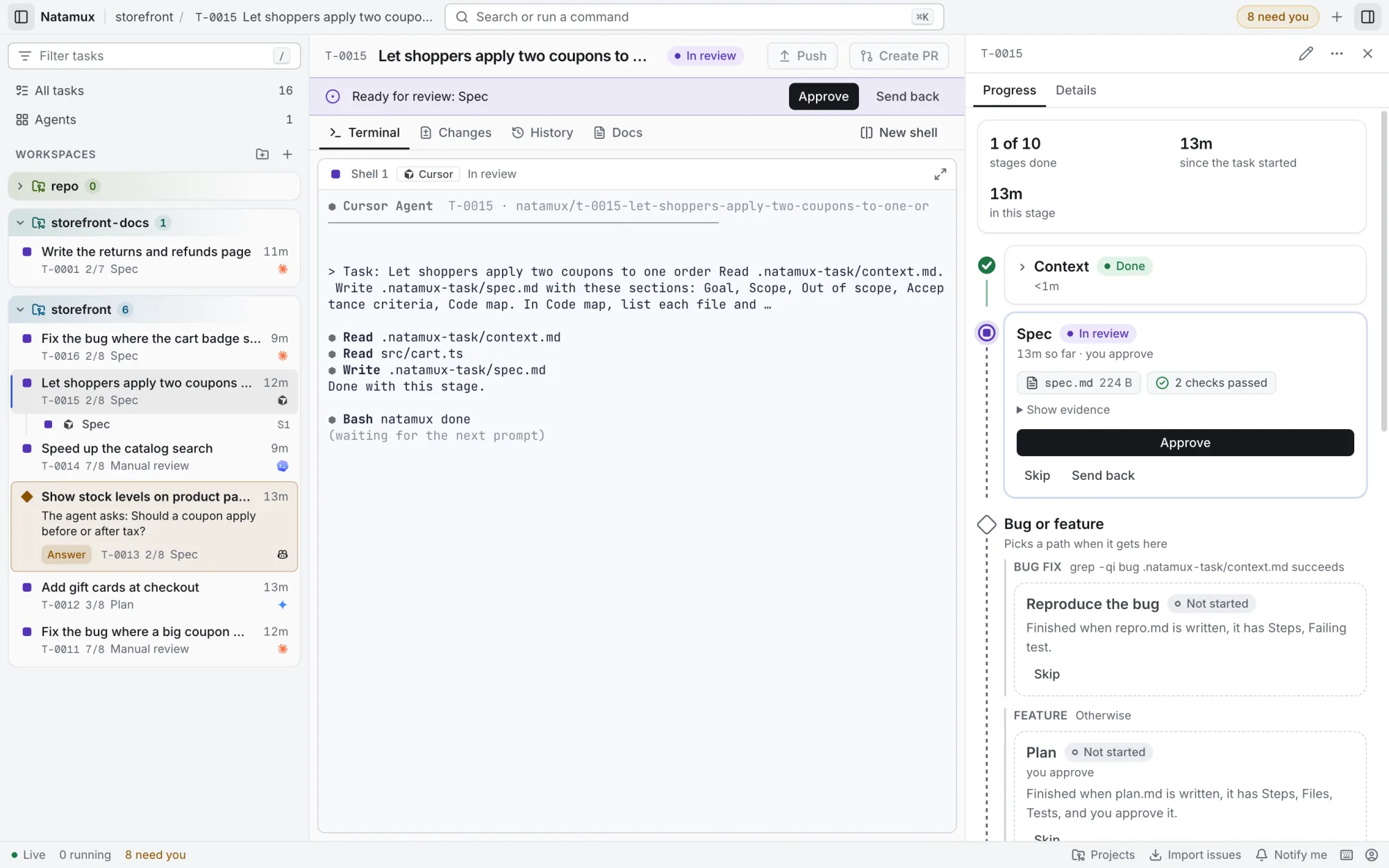
A stage is one step of the work, such as Spec, Implement or Review. Natamux starts it, checks the result and goes on. A stage with Wait for my approval stops until you click Approve, so nothing gets built from a spec you did not read.
More in the docs: Gates
.natamux.json
{ "id": "spec", "gate": "manual" }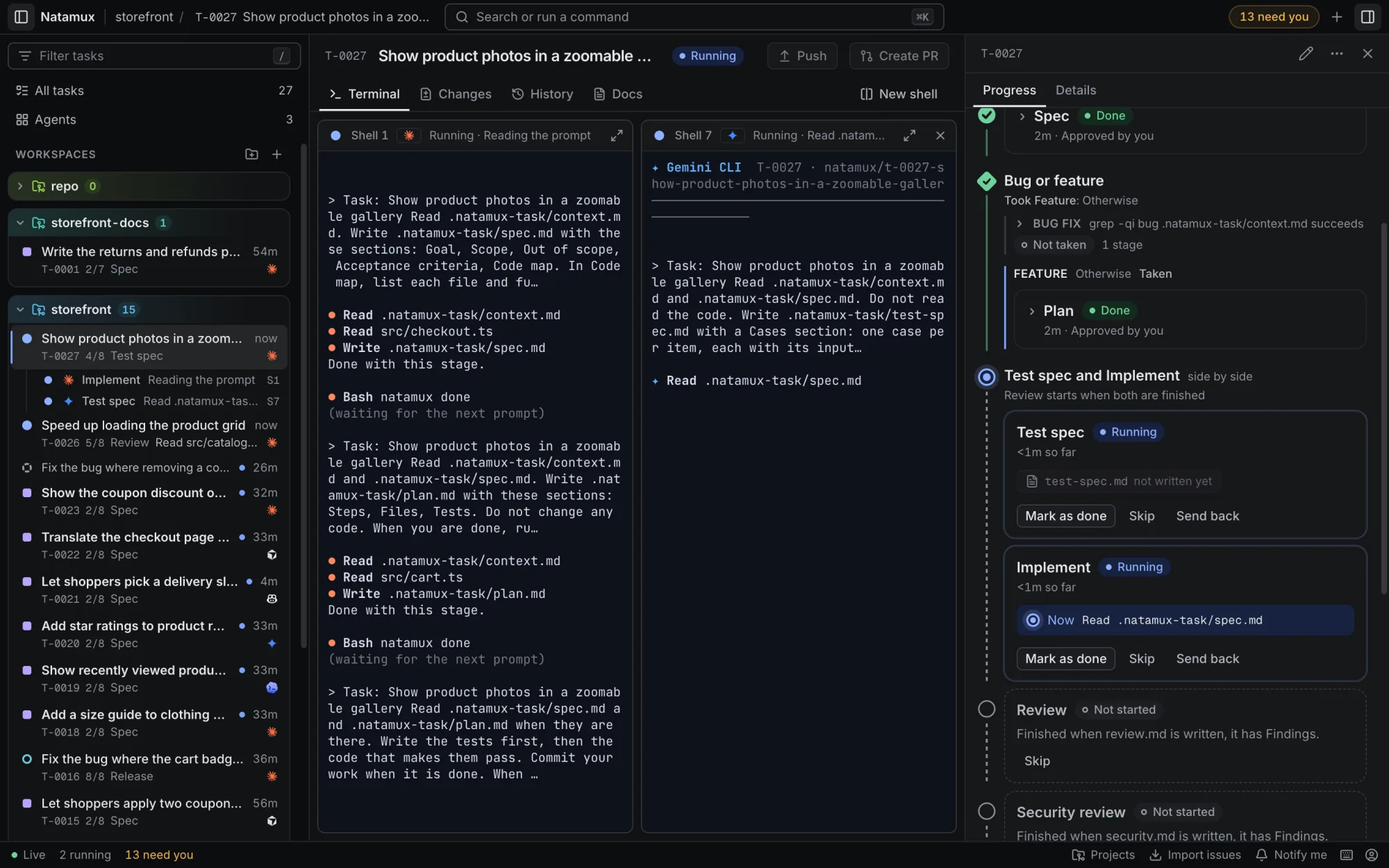
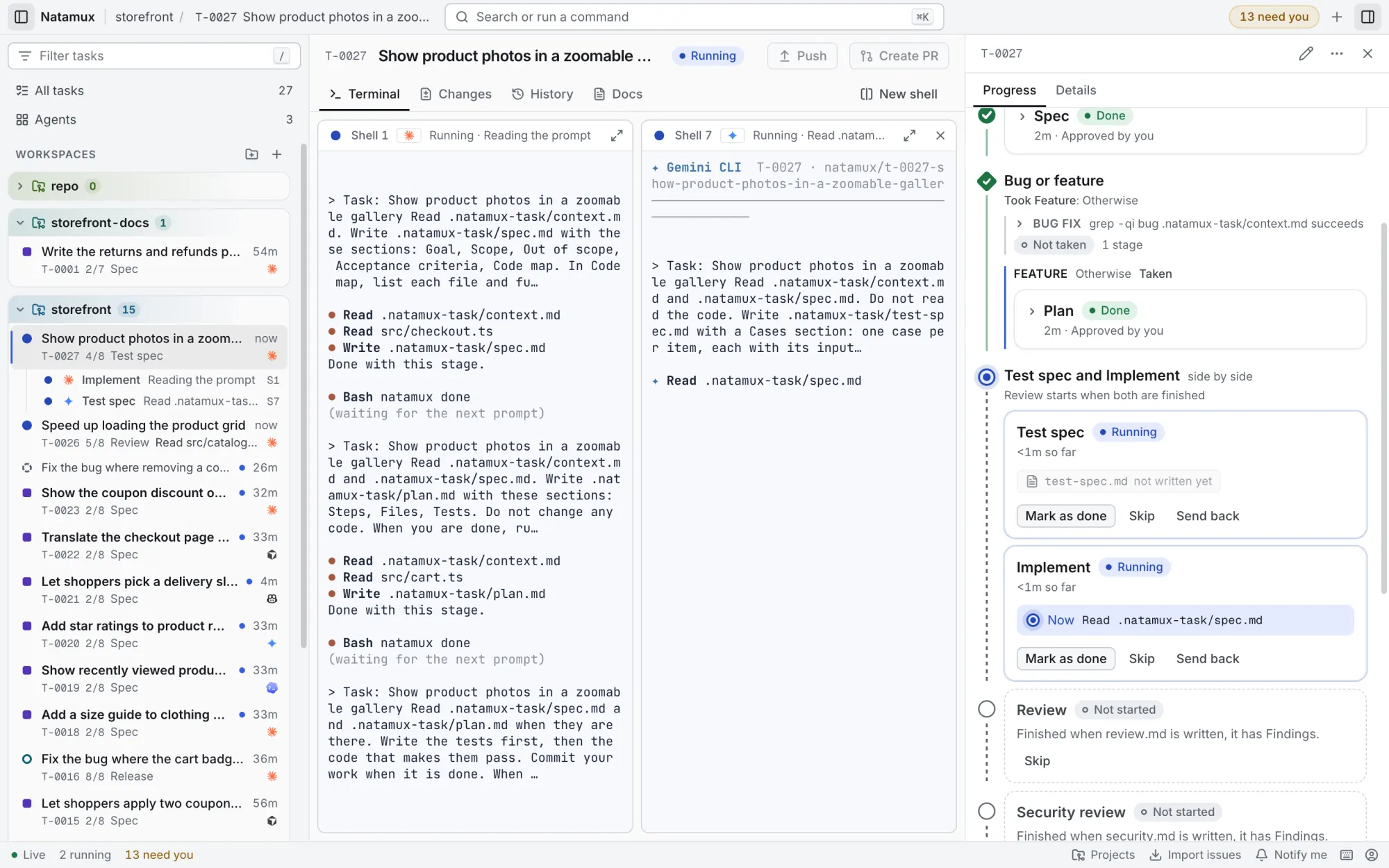
A group holds 2 to 4 stages that work at the same time, each in its own shell. Here Test spec writes the cases from the spec alone while Implement builds. The group is done when every stage in it is done.
More in the docs: Stages that run side by side
.natamux.json
{ "id": "build", "parallel": [
  { "id": "test-spec", "agent": "gemini" },
  { "id": "implement" }
] }A branch splits the pipeline into 2 to 4 paths. When a task gets there, Natamux checks the conditions in order, and the task takes the first path that holds. A condition is File has text or Command succeeds (the command exits with 0). The last path can be the Otherwise path. The Progress tab then says Took Bug fix and folds the other paths into Not taken.
More in the docs: Paths with a condition
.natamux.json
{ "id": "triage", "name": "Bug or feature",
  "paths": [
    { "id": "bugfix", "name": "Bug fix",
      "when": { "type": "command",
        "run": "grep -qi bug .natamux-task/context.md" },
      "stages": [{ "id": "reproduce" }] },
    { "id": "feature", "name": "Feature",
      "stages": [{ "id": "plan" }] }
] }A review agent that finds a problem runs natamux stage back with the reason. The task goes back to Implement, and its agent gets the reason in its next prompt. An agent can send back at most 2 times from one stage; the third time, the task waits for you. A person can send back from any stage, any time.
More in the docs: The review loop
The review agent runs
natamux stage back $NATAMUX_TASK_ID --to implement \
  --reason "A coupon larger than the total makes it negative"
Tick Tasks can check it on CI on a stage, and each task gets a Check on CI box. When the stage is done, Natamux pushes a snapshot of the worktree to natamux-ci/<branch> and waits for your CI. A red run goes back to the agent with the end of the failed log. After two such send backs, the next failure waits for you.
More in the docs: Check a stage on CI
.natamux.json
{ "id": "implement", "ci": true }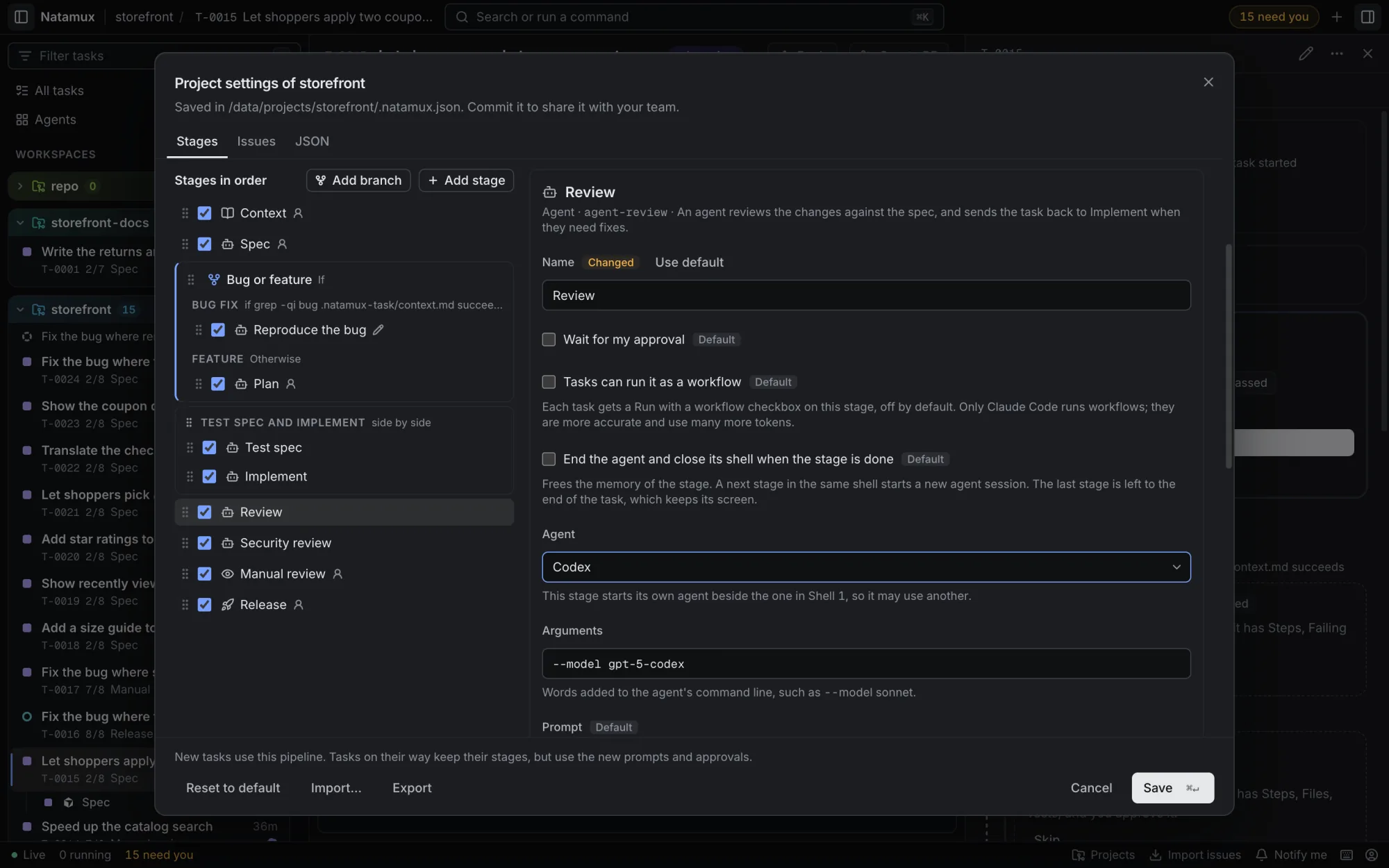
A stage can start its own agent, with its own arguments such as a model. It runs in a shell of its own, so a reviewer reads the diff with fresh eyes. Set Agent and Arguments in the stage settings. They are saved in .natamux.json, so the whole team uses them.
More in the docs: Mix agents in one task
.natamux.json
{ "id": "agent-review", "name": "Review",
"agent": "codex", "args": "--model gpt-5" }Two workflows from the guide, each a full file you can copy. They use your own stages, such as Watch CI and merge, next to the ones Natamux has.
One developer, one repo. You approve the spec. The rest runs without you.
One committed file. Each task takes the path that fits where it is.
If Where is the task
When: Review a teammate's PR
Otherwise: Develop
Natamux starts five agents for you and adds hooks to each session, so the dashboard knows within a second who works, who asks and who is done. Each worktree is trusted for the agent it starts.
claudeHooks through its settings file. The only agent that runs a stage as a workflow.codexHooks passed on the command line for that run.geminiHooks in a system settings file Natamux points it to.copilotHooks in the worktree, kept out of git.cursor-agentHooks in the worktree, kept out of git.your-agentRuns in a plain shell. The terminal bell and natamux ask or done report back.Shell 1Claude CodeImplementBuilds. Keeps the task's session.Shell 6CopilotTest specWrites the test cases from the spec alone.Shell 7CursorReviewReads the diff with fresh eyes. Sends findings back.Shell 8CopilotWatch CIFollows the checks. A red run goes back to the agent.Pick the agent and model per stage in Project settings → Stages. It is saved in .natamux.json, so the team shares it.
.natamux-setup prepares each new worktree: install, seed, copy env$PORT, so dev servers do not clash.natamux-setup.ps1More in the docs: Workspaces
.natamux-setup
#!/bin/sh
pnpm install
cp ~/storefront.env .env
pnpm db:seedThe sidebar sizes each task by how much it needs you. A running task shows its stage, and finished work folds to one line. Open a task and its stages stay in sight beside the terminal.
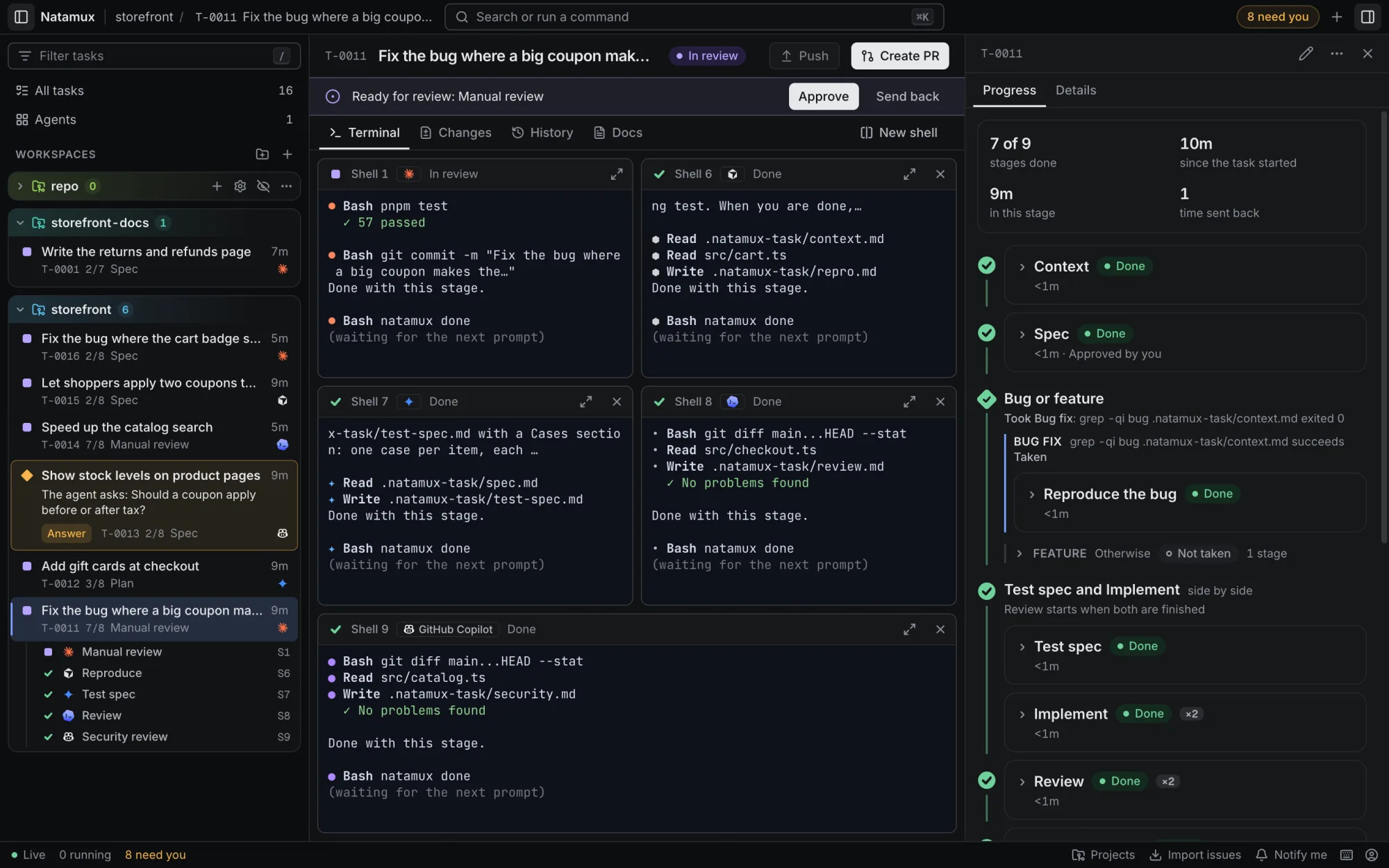
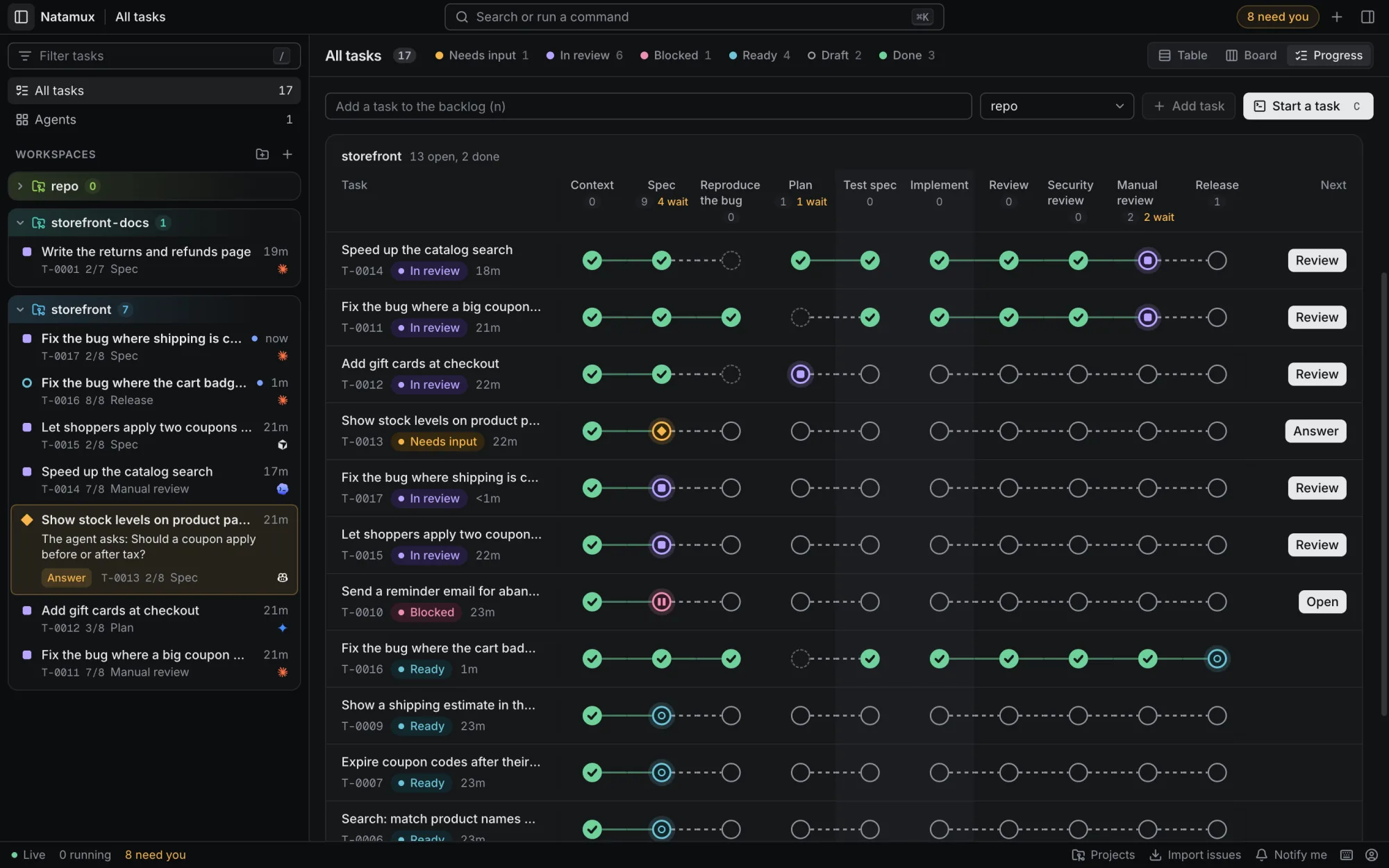
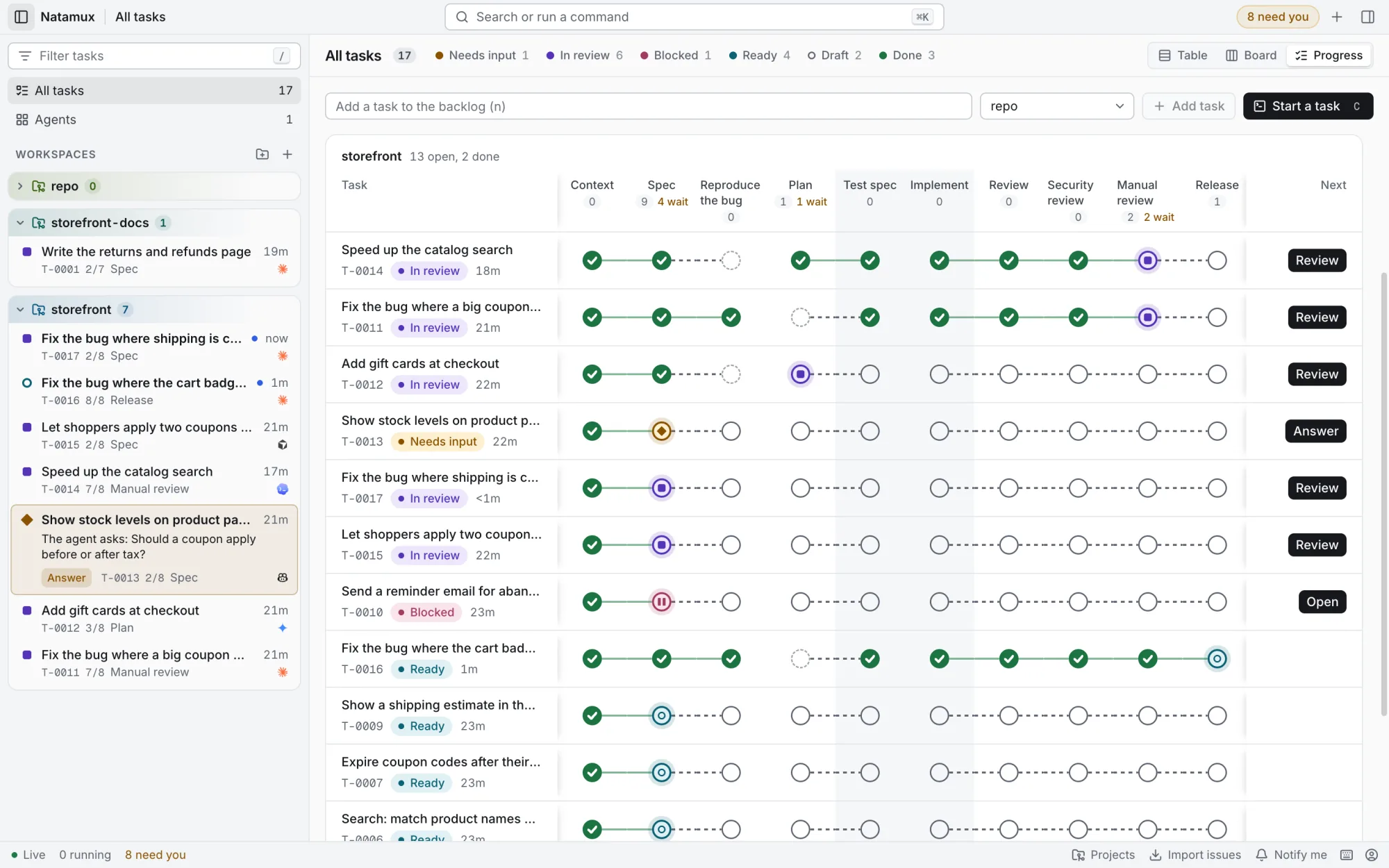
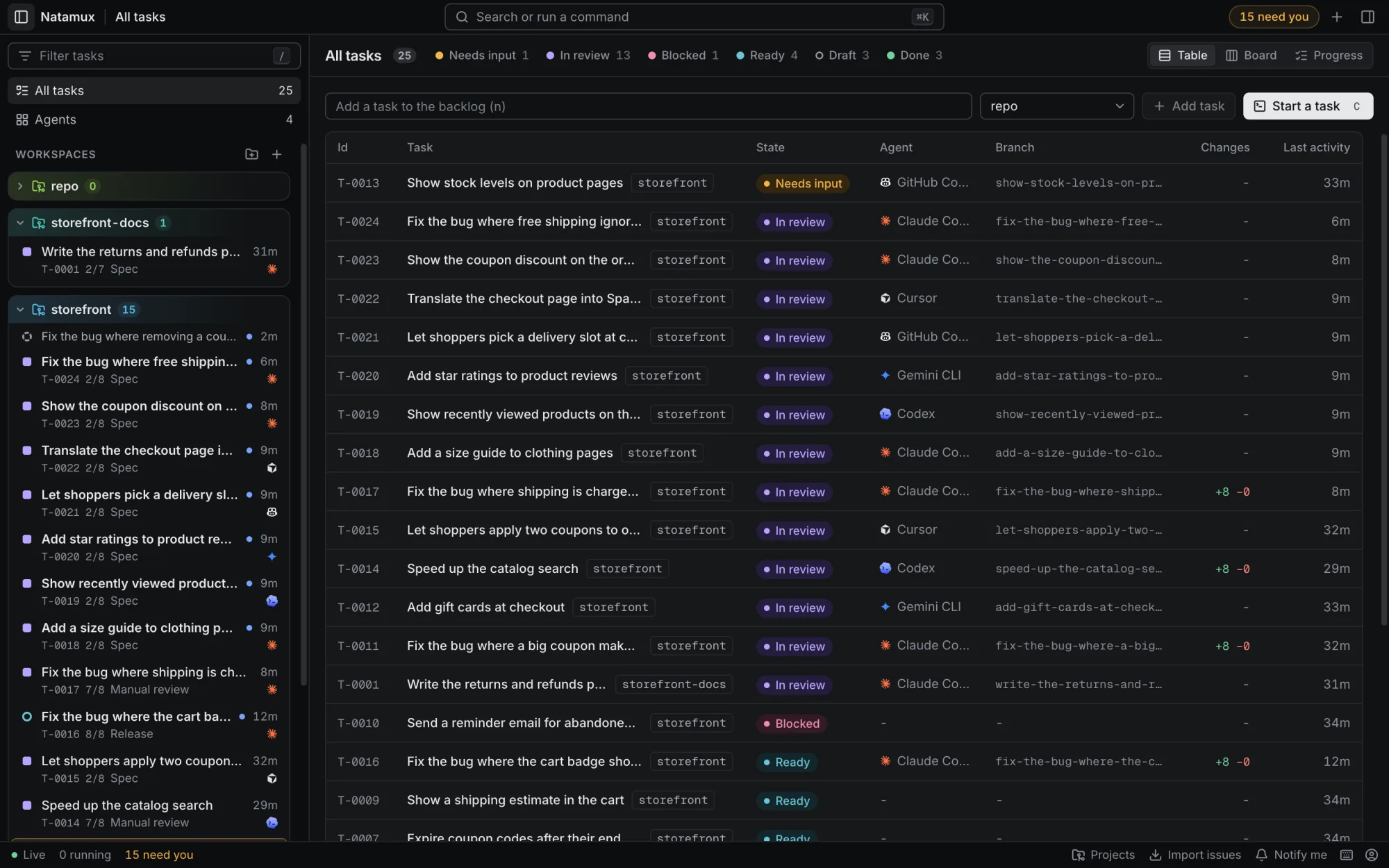
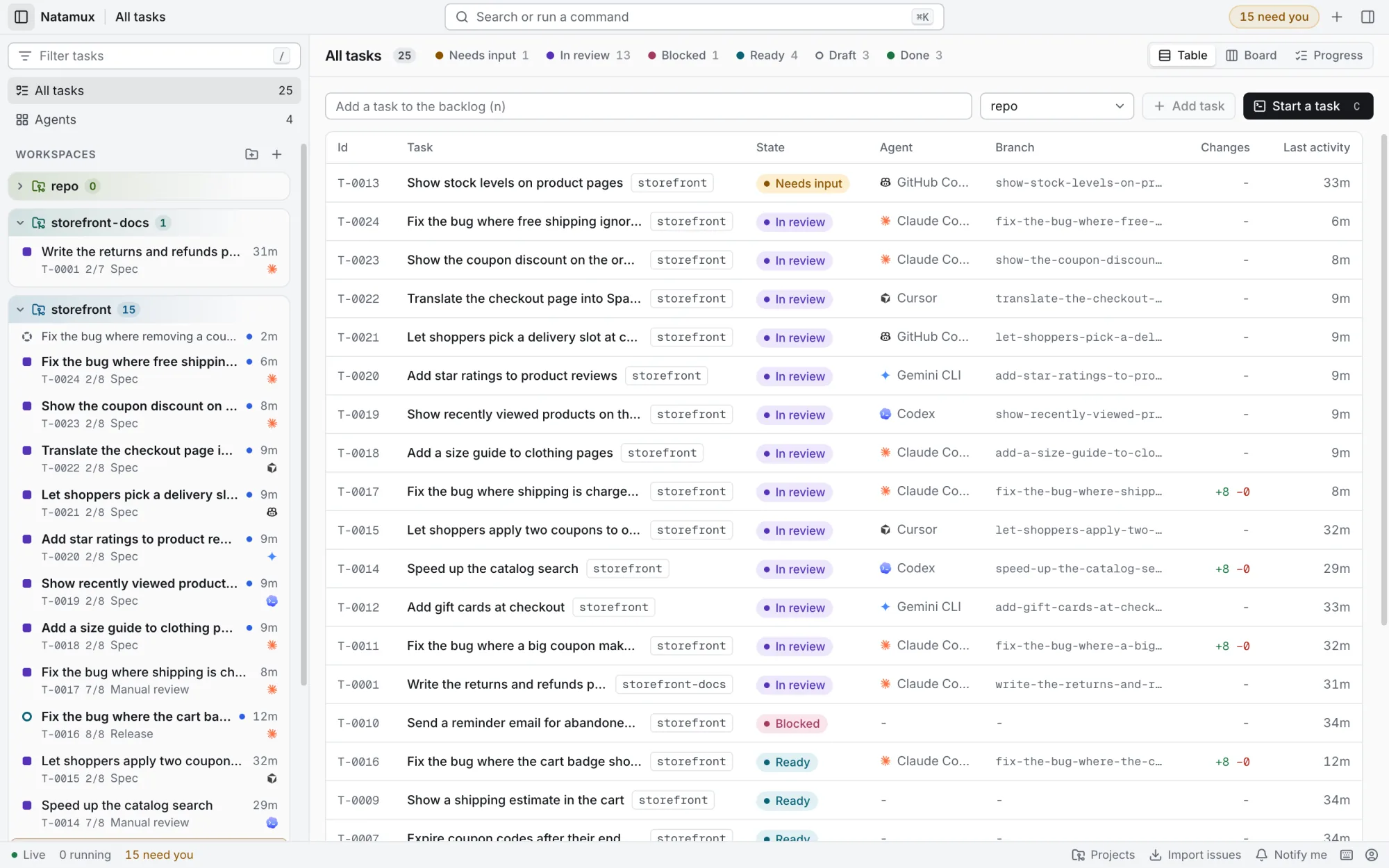
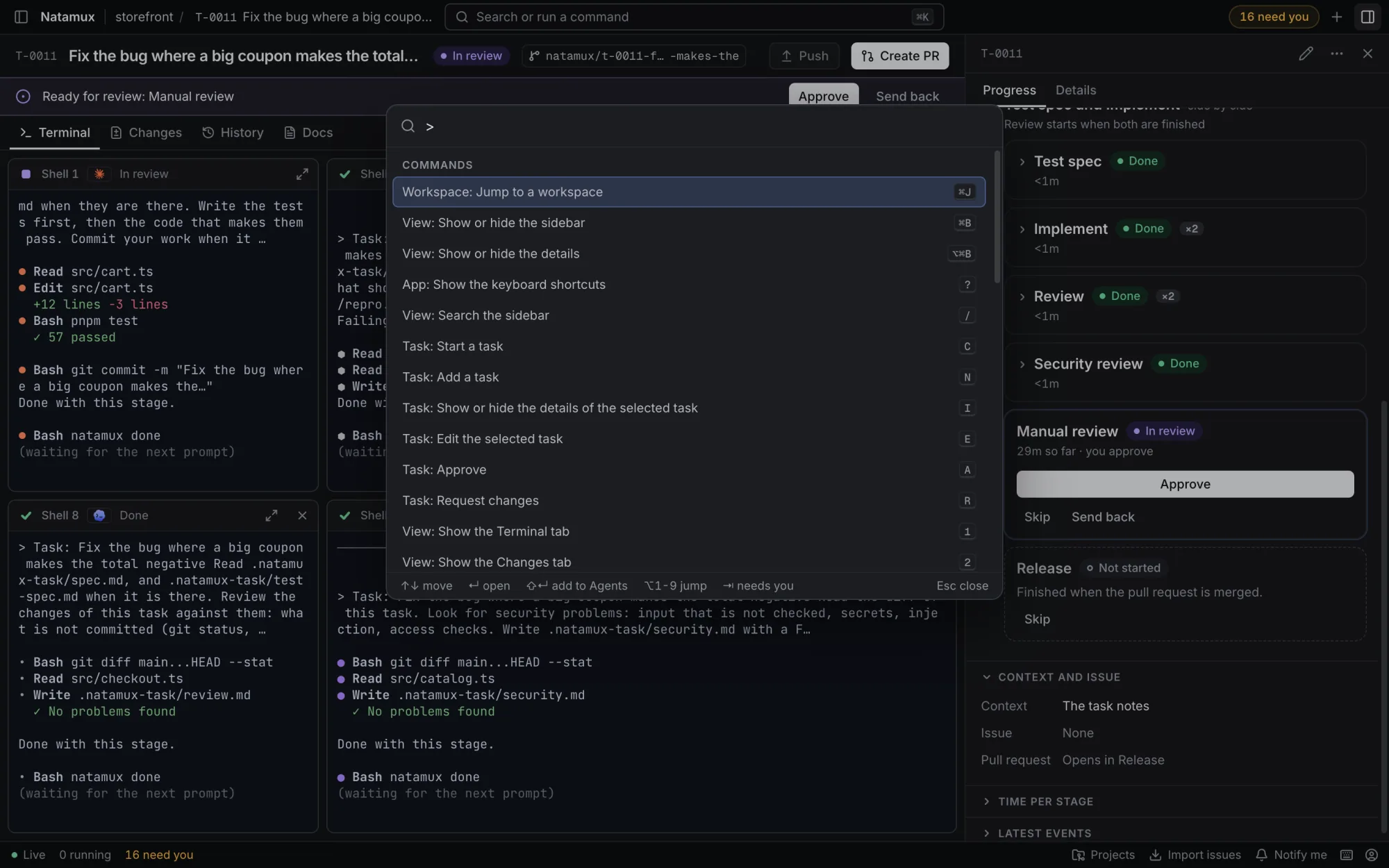
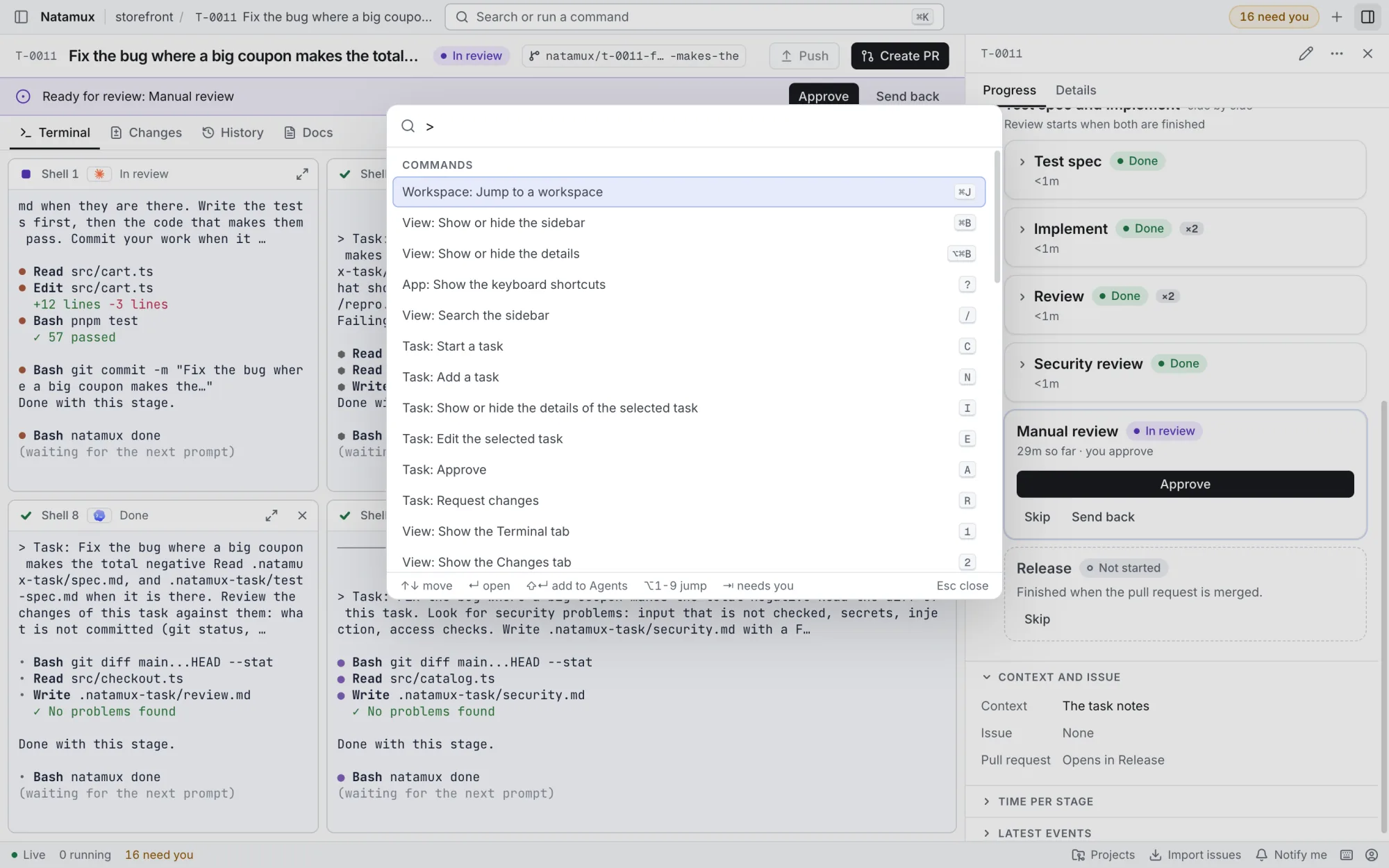
Every task works in its own worktree on its own branch.
Closes #NMore in the docs: GitHub
natamux, or nmx for short. Agents use the same command to ask you something, say a stage is done, or send the work back.
# You, in any shell
$ nmx task create "Export the report as CSV" --label reports
$ nmx agent start T-0010 --agent codex

# The agent, in its task terminal
$ natamux ask "Keep the old CSV columns, or drop them?"
$ natamux done

# The review agent, when something must change
$ natamux stage back $NATAMUX_TASK_ID \
    --reason "Empty rows break the export"
More in the docs: CLI reference
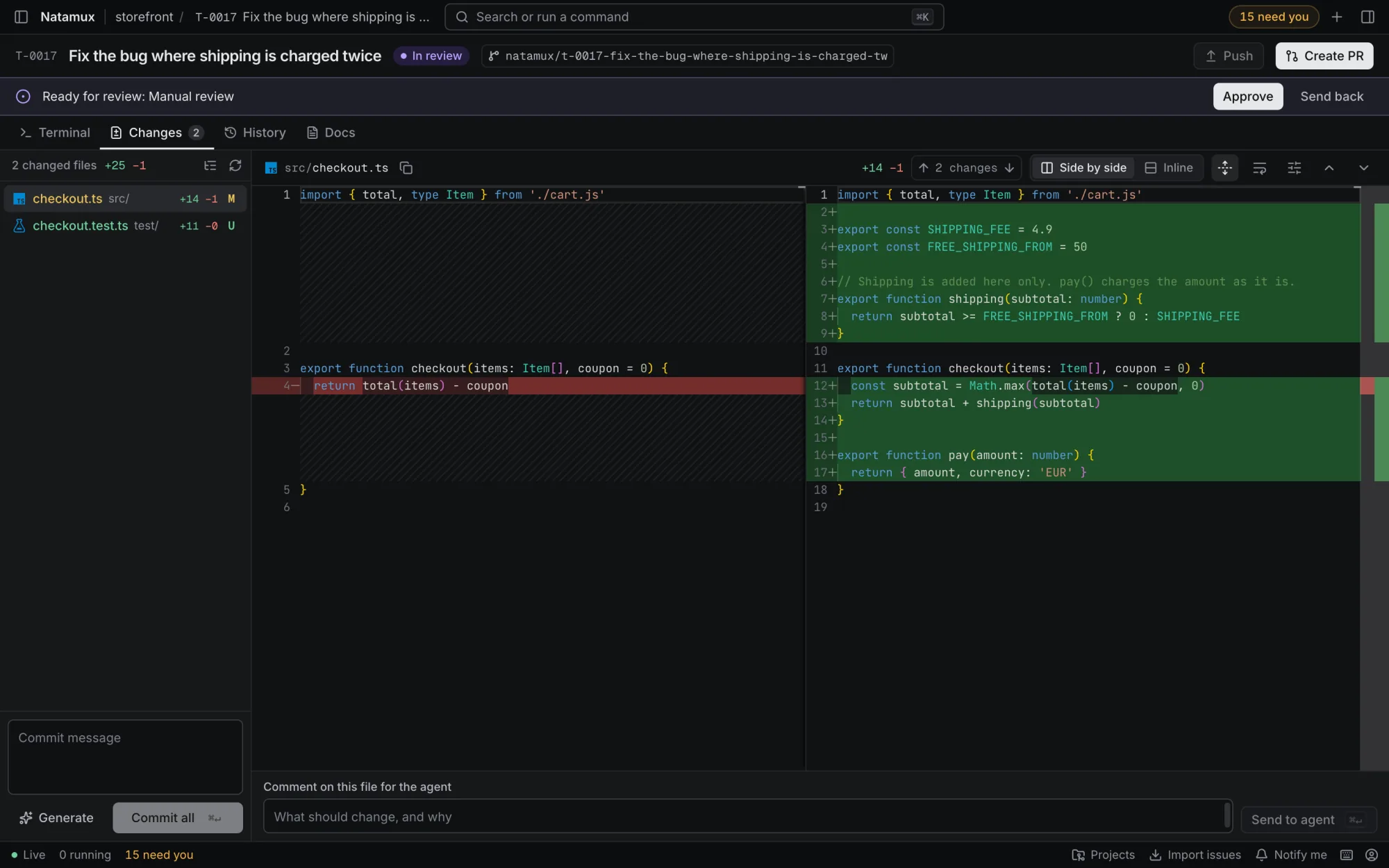
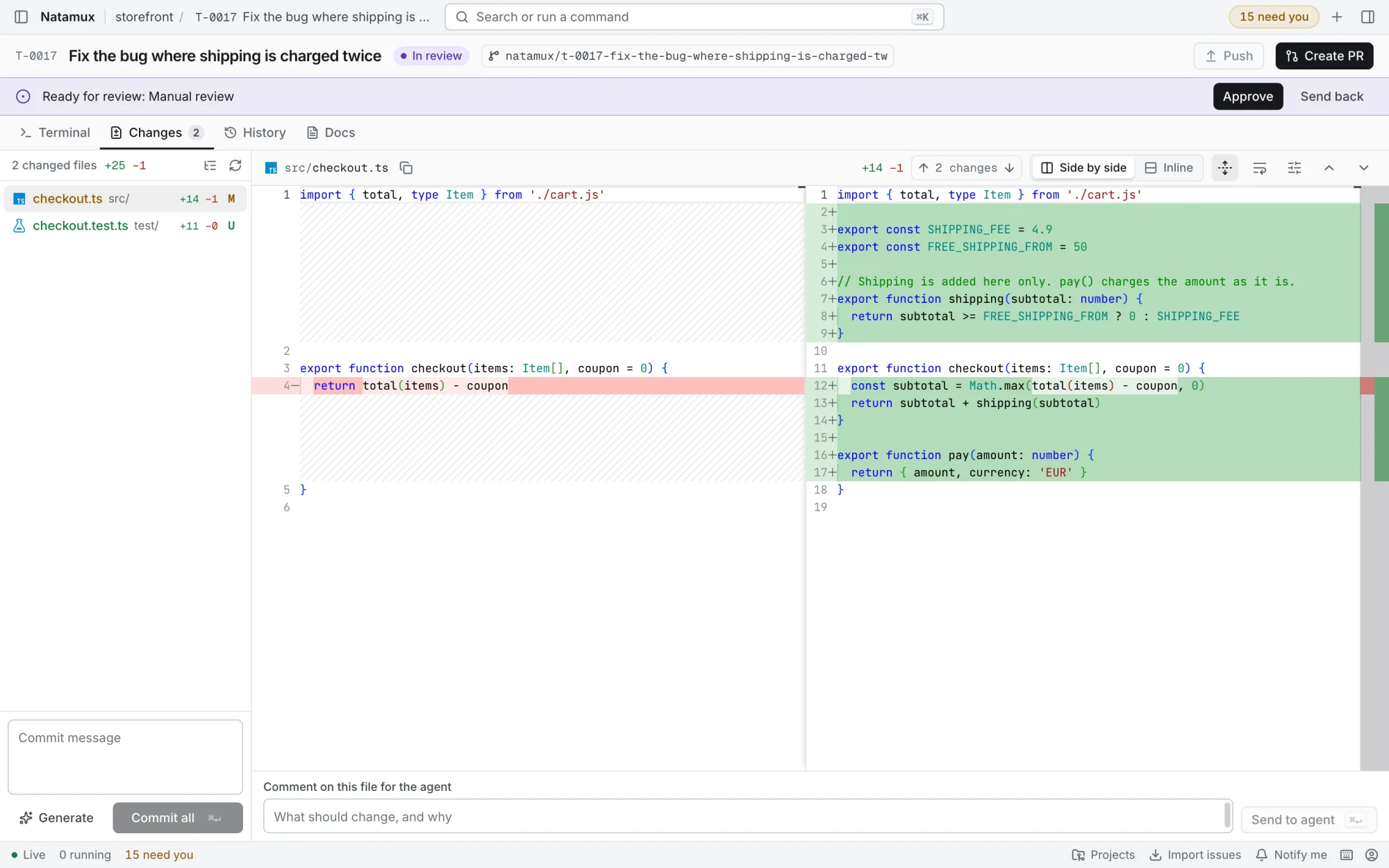
git and gh, for example to follow your pull requests and CI.You need git and at least one agent, installed and signed in. The GitHub CLI adds pull requests and issues.
.dmg and drag Natamux to Applications.macOS blocks the first start
The app is not signed with an Apple certificate yet. Open System Settings → Privacy & Security and click Open Anyway. Or run:
xattr -dr com.apple.quarantine /Applications/Natamux.appNatamux-win-x64.exe. It needs no administrator rights.SmartScreen stops the first start
The installer is not signed with a Windows certificate yet. If you see Windows protected your PC, click More info, then Run anyway.
--no-sandbox if it does not start, or use the .deb..deb with apt. The app is natamux-desktop.sudo apt install ./Natamux-linux-amd64.deb| System | File |
|---|---|
| macOS, Apple silicon (M1 and later) | Natamux-mac-arm64.dmg |
| macOS, Intel | Natamux-mac-x64.dmg |
| Windows 10 and 11, x64 | Natamux-win-x64.exe |
| Linux, any distribution | Natamux-linux-x86_64.AppImage |
| Debian and Ubuntu | Natamux-linux-amd64.deb |
| Linux, no install | Natamux-linux-x64.tar.gz |
| Checksums of every file | SHA256SUMS.txt |
scripts/dev.sh up