
Mix agents in one task
One task can use several agents. Claude Code writes the code, Cursor reviews it, Copilot watches CI. Each stage picks its agent and model in .natamux.json.
- Each agent is good at different jobs. Pick the one that fits the stage.
- A new agent reviews with fresh eyes. It did not write the code, so it does not defend it.
- Several providers share the cost and the rate limits.
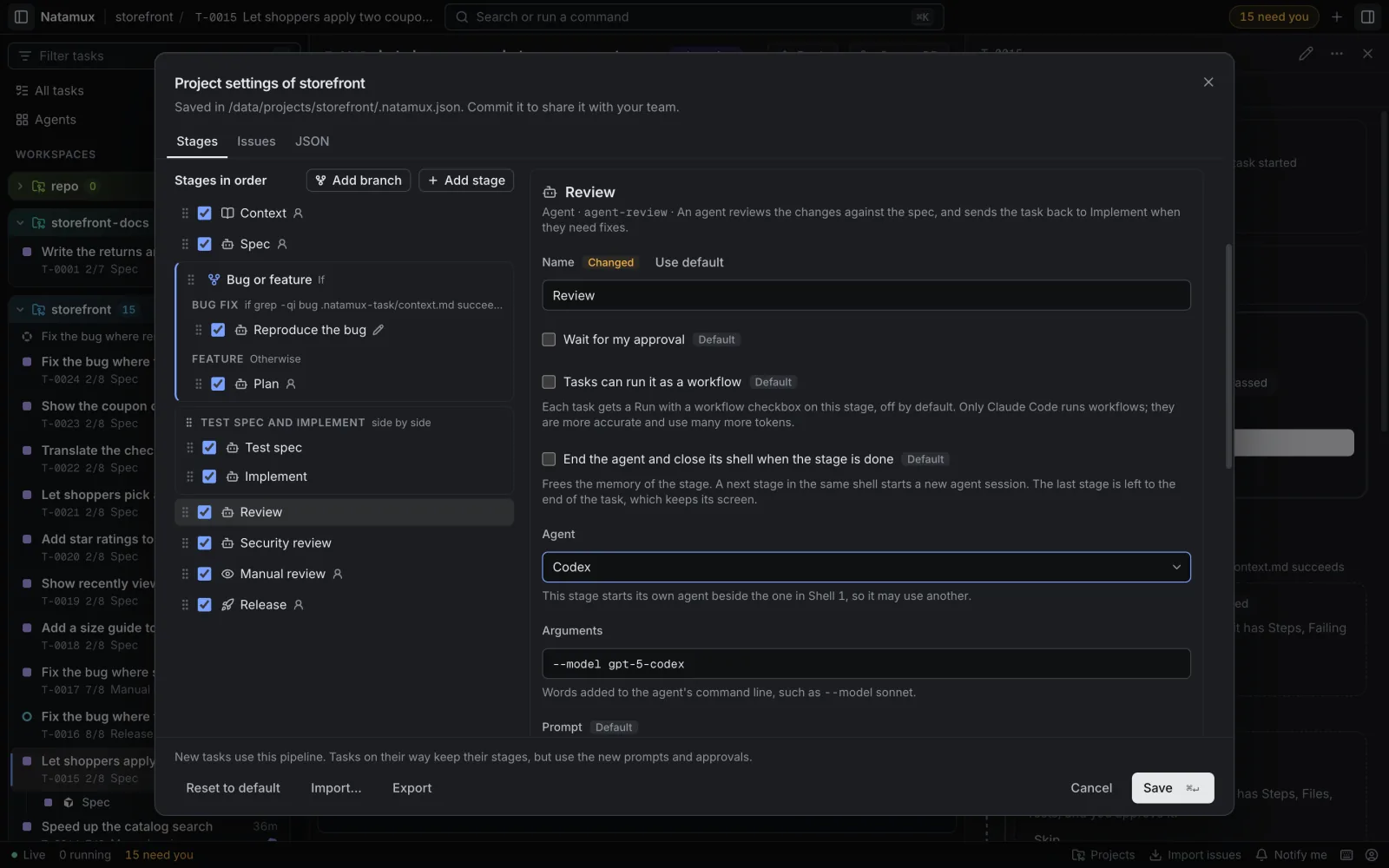
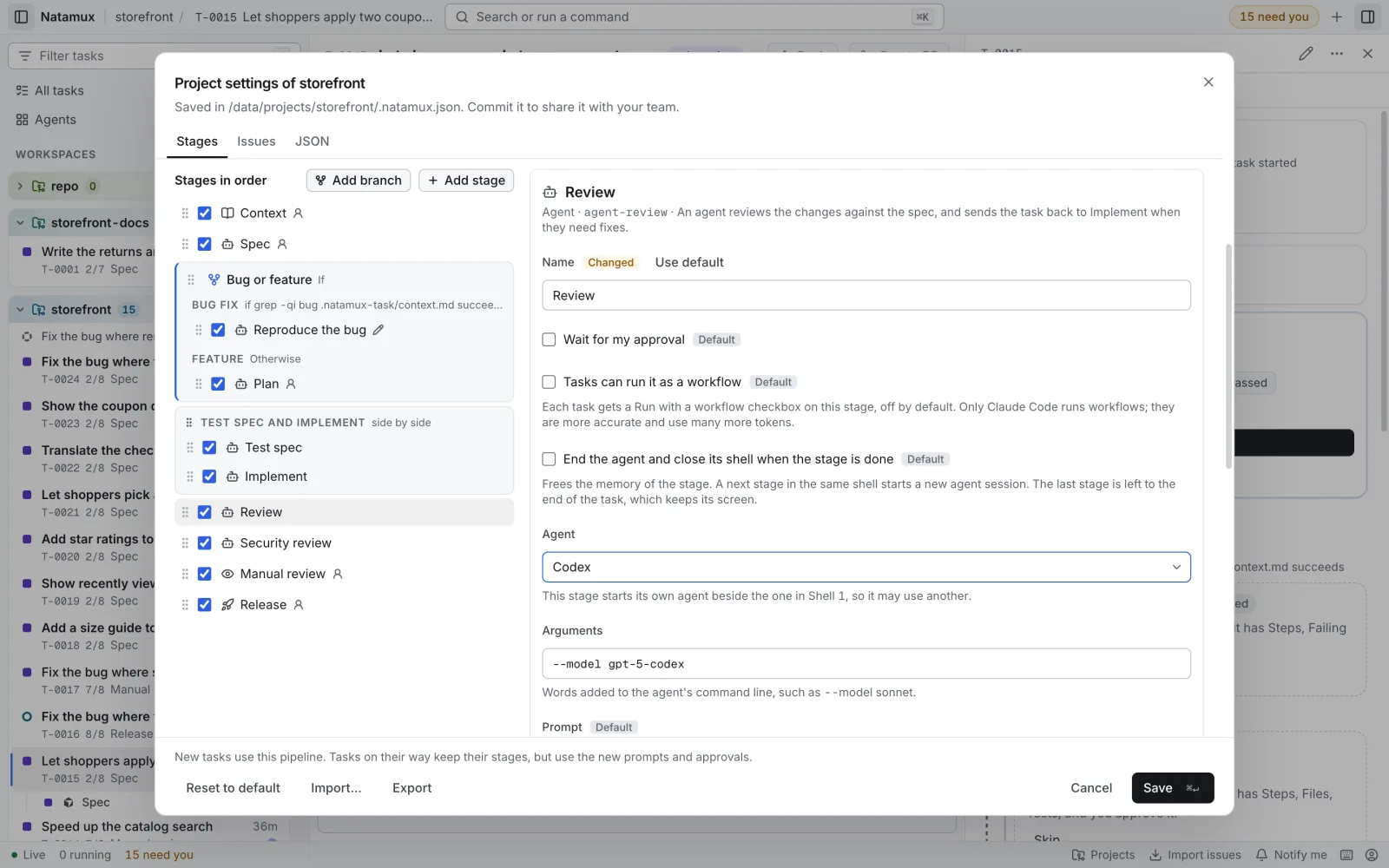
Set agent and args on a stage. In Project settings → Stages, they are Agent and Arguments.
- Open Project settings → Stages and click the stage, for example Review.
- In Agent, pick the agent. Task’s agent keeps the task’s own.
- Optional: in Arguments, add words for its command line, such as
--model gpt-5. - Click Save, then commit
.natamux.json.
In the file, the same stage looks like this:
{ "id": "agent-review", "kind": "agent", "gate": "auto", "output": "review.md", "ownShell": true, "agent": "cursor", "args": "--model gpt-5" }agentisclaude-code,codex,gemini,copilotorcursor.argsadds words to the command line of that agent, such as a model flag. See Choose a model.- A catalog stage in Shell 1, such as Spec or Implement, cannot change them: that would end the session of the stages before it.
- A stage of your own (made with Custom stage) can. It then runs in a shell of its own, from Shell 6, as Follow CI does in the Team example.
- The configuration reference lists where
agentandargsare allowed.
Shells
Section titled “Shells”Each task has a few shells. See Shells and agents for the full table.
| Shell | What runs there |
|---|---|
| Shell 1 | The task’s agent, in one session for the stages in a row. It is never closed before the task ends. |
| Shell 2 | Test spec, when it has no agent of its own. |
| Shell 5 | A stage with ownShell and no agent or args of its own. |
| Shell 6 and up | A stage with its own agent or args. The first such stage of the pipeline gets Shell 6, the next Shell 7. |
A stage that runs again, for example after a send back, gets its prompt in the agent of its shell. That agent still knows the last round. To start fresh each time, set "endShell": true.
End a stage’s shell
Section titled “End a stage’s shell”"endShell": true closes the shell when the stage is done. This frees memory, and the next run starts a new session. It never closes Shell 1. See End a stage’s shell.
Run with a workflow
Section titled “Run with a workflow”"workflow": true offers Run with a workflow on a stage. Claude Code then works with sub-agents inside that one stage. Use it on a hard stage such as Implement. It uses more tokens, and only Claude Code does it. See Run a stage as a workflow.
Why each stage uses its own agent
Section titled “Why each stage uses its own agent”The two examples in Build a workflow list which agent and shell each stage uses. The reasons:
| Stage | Why |
|---|---|
| Spec, Plan, Implement | One session in Shell 1 keeps the context of the spec for the code. Implement can add sub-agents with a workflow. |
| Test spec | It writes cases without reading the code. Its shell frees its memory when done. |
| Review | An agent that did not write the code reads it. A new session per round. |
| Review PR | It reads a teammate’s work with a new session. |
| Watch CI and merge, Follow CI | It moves CI and merge work off the main session. A failed job sends the task back. |
| Verify impact list | It checks the change with a new session. |
| Definition of done and review request | Another provider for the last check. |
What each agent needs
Section titled “What each agent needs”Every agent you use in a stage must run on the machine of the task.
- Installed, and its command runs in a terminal.
- Logged in.
- Hooks: Natamux adds them for each agent it starts, so the dashboard shows its state.
Details per agent:
- Claude Code
- Codex
- Gemini CLI
- Copilot CLI
- Cursor CLI
- Other agents: without hooks, Natamux sees less
The agent token
Section titled “The agent token”Task terminals get an agent token, not the daemon’s token. An agent cannot approve, skip or pass a stage, so a stage with another provider cannot move the task past a gate. It can run natamux done and natamux stage back. See Security and privacy and The agent token.
Related
Section titled “Related”- Build a workflow: the two example files
- Stages: shells, models and workflows
- Agents and hooks: how each agent reports